Nano Banana Image Generator and Photo Editor
Describe a scene or upload a photo and say what to change. Google's Gemini image models handle the rest, and you only pay for the images you create.
- $0.016from per image
- 2Versions and prices

Versions and prices
| Version | Best for | Price |
|---|---|---|
| Google Gemini 3.1 Flash Image (Nano Banana 2) Accepts a reference photo | Nano Banana · генерация и правка по фото | $0.016 per image |
| Google Gemini 3 Pro Image (Nano Banana Pro) Accepts a reference photo | Nano Banana Pro · генерация и правка по фото | $0.024 per image |
Made with Nano Banana


What the Nano Banana image generator is
Nano Banana is the nickname the internet gave to Google's Gemini image models, and it stuck. On Tokion, the Nano Banana image generator comes in two versions: Gemini 3.1 Flash Image, also called Nano Banana 2, and Gemini 3 Pro Image, known as Nano Banana Pro.
Both work in two modes. Text-to-image turns a written description into a new picture. Photo editing takes an image you upload and changes it according to a plain-language instruction — swap the background, change the lighting, recolor a jacket, remove a stray object. There are no masks, layers or selection tools involved; the instruction is the whole interface.
The version table with live pricing and a set of examples made with identical prompts sit on this page, so you can see how each model interprets the same brief before spending anything.
Nano Banana 2 vs. Nano Banana Pro
Nano Banana 2, the Flash model, costs less per image. That makes it the right default for volume: a dozen lifestyle backgrounds for Shopify listings, variations of an Instagram carousel cover, quick concept sketches for a client call.
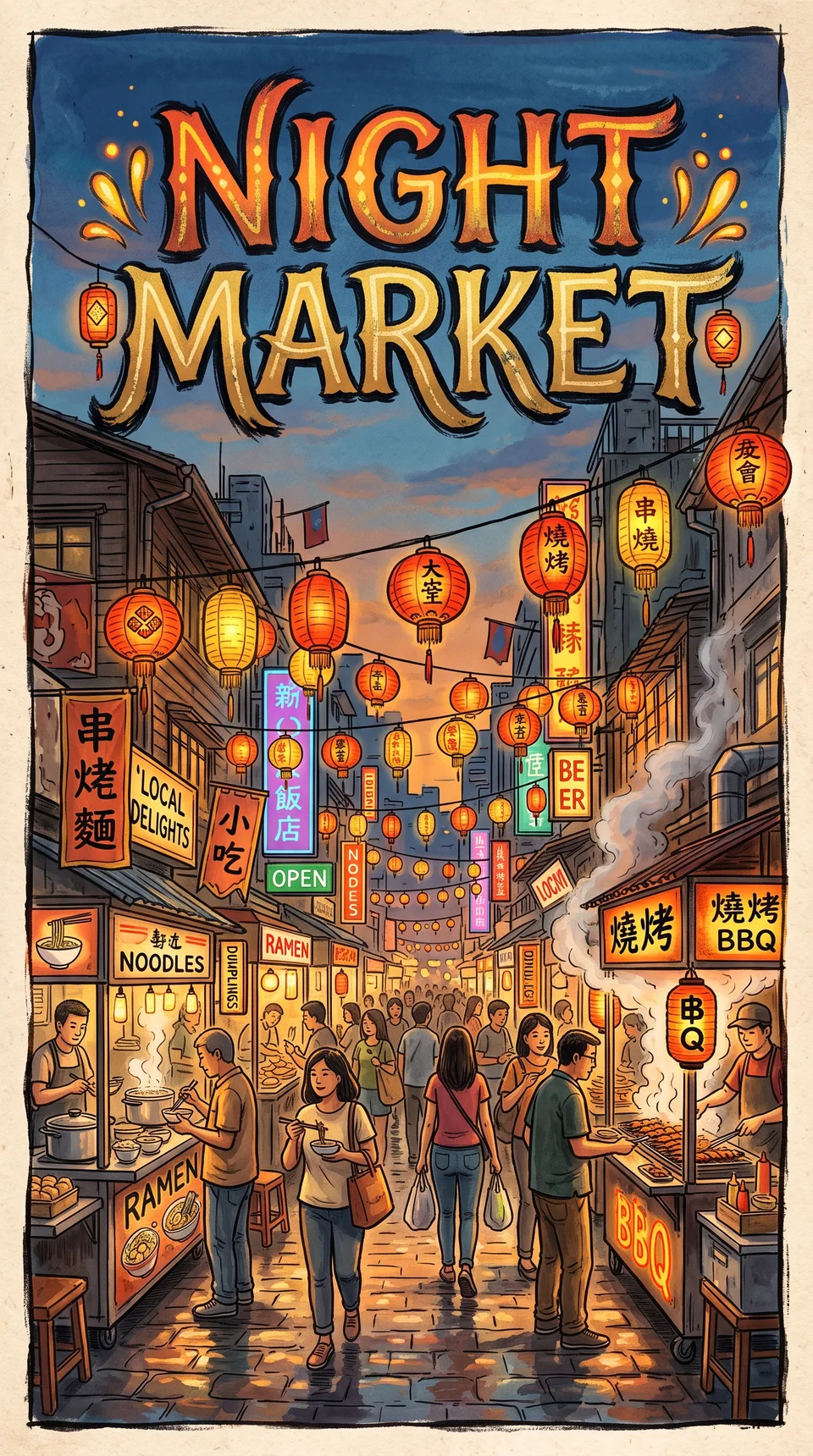
Nano Banana Pro is Google's more capable model. Reach for it when the image is demanding — lots of small details, legible lettering, several characters in one scene, a poster or a book cover. In the examples on this page, the lettered night-market poster is a Pro render, which is typical of where it earns its higher price.
A simple workflow: iterate on Flash until the prompt is right, then run the final version on Pro. Your experiments stay cheap, and the premium model only sees a prompt that already works.
How to edit a photo with a text prompt
Open the Images section in the web app or the Telegram bot, choose Google Gemini, pick a version and attach your photo. In the prompt, describe the change rather than the whole picture: "replace the background with a clean white studio", "make it golden hour", "put the mug on a marble counter".
The model tries to keep everything you didn't mention, but it helps to say so explicitly: "keep the face, pose and outfit unchanged". If the first result is close, adjust one detail and run it again instead of rewriting the entire prompt.
Pick the aspect ratio in the form: square for marketplace thumbnails, vertical for TikTok and Pinterest, landscape for website headers and LinkedIn banners.
Pay as you go, one balance for every model
There's no subscription. Top up your balance and each generation is charged individually; new accounts get a starter balance to try things out.
The same balance covers chat with dozens of language models, other image and video models, and the API. Developers can call both Gemini versions with the same API key they use for text models — see /api-landing for details.
Who it's for
Online sellers
Shoot a product once on a plain table, then place it in a kitchen, a gift box or a seasonal scene for Amazon, Etsy or eBay. Use Nano Banana 2 for batches and Pro for the hero image.
Creators and social media managers
Build thumbnails, carousel covers and on-brand visuals from a short description, or restyle a photo you already like. Consistent edits across a series are easier when you reuse the same instruction.
Small brands and agencies
Mock up ad concepts, packaging scenes and campaign visuals before booking a shoot. Pro handles text-heavy layouts like posters and promo banners more reliably.
Developers
Add image generation and prompt-based editing to your own app through the Tokion API. One key, one balance, and the same catalog you see in the web app.
Pro tips
- Describe what's visible, not a mood: "foggy lake, wooden rowboat, sunrise, soft pastel light" beats "beautiful atmosphere".
- When editing, name one object and one action per step — "remove the backpack", "add thin-rimmed glasses" — and chain steps rather than cramming them together.
- Put any on-image text in quotes and state where it goes, like "large at the top" or "on the shop sign".
- For product shots, mention material and light: "matte ceramic, soft side light, stone countertop" gets you a more photographic result.
- Upload a sharp, well-lit source photo. The model can't recover detail that a compressed screenshot has already lost.
Good to know
- The model redraws the whole frame, so small details you didn't mention — fabric patterns, packaging text — can shift slightly. Check the result before you publish.
- A perfect likeness after editing a portrait isn't guaranteed, especially with profile shots or harsh shadows in the source.
- Explicit content, real celebrities and photos you don't have rights to are off-limits.
- Long passages of small text still come out with typos; a few words of lettering work much better.
Questions
Is Nano Banana an official Google name?
It's a community nickname for Google's Gemini image models. In the Tokion catalog they're listed as Gemini 3.1 Flash Image (Nano Banana 2) and Gemini 3 Pro Image (Nano Banana Pro).
Which version should I start with?
Start with Nano Banana 2. It's cheaper and handles most everyday tasks well. If you need finer detail or cleaner lettering, rerun the same prompt on Pro.
Can I edit my own photos?
Yes. Both versions support photo editing. Attach an image in the Images section and describe the change in plain words.
Do I need a subscription?
No. Tokion is pay as you go: you're charged per generation, and the price for each version is shown in the table on this page.
Can I use the images commercially?
You can use generated images in listings, ads and social posts as long as they don't include other people's trademarks, recognizable people without consent, or copyrighted material. You're responsible for the photos you upload.
Does it work on my phone?
Yes, in any mobile browser or in the Telegram bot @tokionaibot, with the same models and the same balance.
Can I use Nano Banana through an API?
Yes. Create an API key in your account and use it for image requests — it's the same key that works for text models. Request formats are described at /api-landing.
Other image and video models
Nano Banana Image Generator and Photo Editor
Use the Nano Banana image generator online: create images from text or edit your own photos with plain instructions. Nano Banana 2 and Pro, pay as you go.
Try Nano Banana