Seedance Video Generator: Text-to-Video and Photo-to-Video
Write what should happen on screen, or upload a still you want to see in motion. ByteDance's Seedance models render the clip, and you pay per video.
Temporarily unavailable
Seedance is temporarily unavailable in Tokion — prices and generation will return as soon as it is back. Meanwhile, try one of these models:
Scene ideas for your first clip
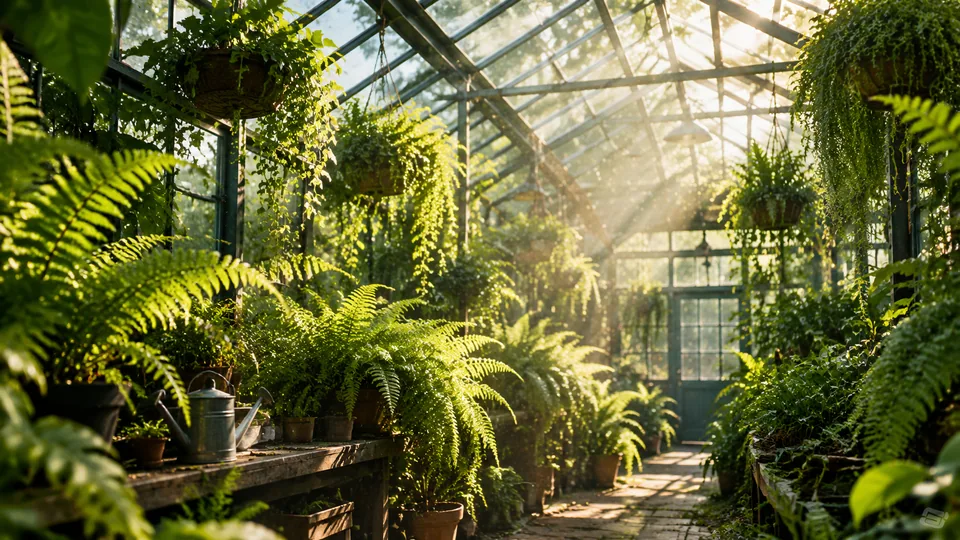

Illustrations made with GPT Image 2.5 — not Seedance output. Real clips will appear here soon.
What the Seedance video generator does
Seedance is ByteDance's family of video models. The Seedance video generator on Tokion takes a written description of a scene and turns it into a short clip, and one version can also animate a photo you upload. No camera, no editing timeline — you describe the shot, choose the options the version offers, and the model handles motion, lighting and detail.
Seedance is at its best with cinematic moves: slow dolly shots, drifting dust in a beam of sunlight, steam rising off a cup, slow-motion close-ups. The examples on this page use the same prompts across every video model on Tokion, so you can compare their look side by side.
Choosing a Seedance version
Seedance 2.0 is the catalog's balance of price and quality, with a choice of 5, 8 or 10 seconds — the sensible default for social clips and presentations. Seedance 1080p is the same model rendered straight to Full HD, worth it when the video will play on a big screen or in a paid ad.
Seedance Fast is built for speed and produces a 14-second clip. Seedance 2.5 is the newer model, generating 5-second videos from text. A separate Seedance 2.0 version, labeled in the catalog as animating a frame, takes one photo and turns it into a 5-second video; it's the only version that needs an image.
Versions tagged Free are described in the catalog as having softer filters for freestyle creative scenes, and Fast Free is the quicker draft option in that group. Softer doesn't mean none: content rules and moderation apply to every version.
From prompt or photo to finished clip
Open the Video section in the web app or the Telegram bot, pick ByteDance Seedance and a version. For text-to-video, write two or three sentences covering subject, action, camera movement and light: "a woman walks down a rainy street at night, neon reflections in puddles, the camera follows from behind".
To animate a still, choose the photo version, upload your image and describe the motion: "wind moves her hair, slight smile, slow push-in". Travel shots, portraits, food and product photos work especially well.
Video takes longer to render than an image. You can close the window — the finished clip will be waiting in the Video section, ready to download.
Pay per clip, one balance for everything
No subscription. Top up once and each generation is charged individually; the current price of every version is in the table on this page, and new accounts start with a small balance to experiment.
The same balance covers chat with dozens of language models, image generation and the API. Developers can call Seedance with the same API key they use for text models — details at /api-landing.
Who it's for
TikTok, Reels and Shorts creators
Short, atmospheric clips hold attention better than stills. Generate a hook shot from a description or bring a travel photo to life without filming anything new.
Online stores and small brands
Show a product in motion on your Shopify page, Etsy listing or Instagram ad: a mug with rising steam, jewelry catching the light. The photo version starts from a product shot you already have.
Agencies and marketers
Pitch an ad concept as a moving storyboard instead of a slide of stills. Draft on a faster version, then render the approved scene in 1080p.
Developers
Add text-to-video and photo-to-video to your own product through the Tokion API. The key and balance are shared with every other model in the catalog.
Pro tips
- Write the prompt like a one-line shot list: subject, action, camera move, lighting. Specifics beat adjectives.
- Keep one main action per clip. A few seconds can carry one clear movement, not a plot with twists.
- Name the camera behavior: "slow push-in", "pan left to right", "locked-off static shot". It makes results more predictable.
- For photo-to-video, use a sharp image with a clear subject and some breathing room around it so the camera has space to move.
- Iterate on the base or Fast version, and switch to 1080p once the scene looks right.
Good to know
- Length is fixed by each version's options, so you can't render a long film in one pass — stitch clips together in an editor.
- Text and logos tend to warp once they move. Add titles in post-production instead.
- Hands, fast action and several people interacting can look off; expect to run a couple of attempts.
- Explicit content, real celebrities and animating photos you don't have rights to are not allowed — in every version, Free included.
Questions
Can Seedance turn a photo into a video?
Yes. Choose the Seedance 2.0 version that animates a frame, upload one photo and describe the motion. You'll get a 5-second clip. The other versions work from text.
What's the difference between Seedance 2.0 and 2.5?
Seedance 2.5 is the newer model and generates 5-second clips from text. Seedance 2.0 comes in several versions: with a choice of length, in 1080p, and for animating photos.
How long are the clips?
It depends on the version: 5, 8 or 10 seconds for the base and 1080p versions, 14 seconds for Seedance Fast, and 5 seconds for Seedance 2.5 and the photo version. Available lengths show up in the form.
Does "Free" mean there's no content moderation?
No. Those versions have softer filters for creative freestyle scenes, but content rules and moderation apply everywhere on Tokion.
Which version gives the sharpest picture?
Seedance 1080p renders directly in Full HD. For social media and drafts, the base version is usually enough.
Do I need a subscription?
No. Tokion is pay as you go: you're charged per clip from one balance that also covers chat, images and the API.
Can I access Seedance through an API?
Yes. Create an API key in your account and send video requests with it — the same key works for text and image models. See /api-landing for request formats.
Other image and video models
Seedance Video Generator: Text-to-Video and Photo-to-Video
Try the Seedance video generator by ByteDance: turn a written scene or a single photo into a short clip. Several versions incl. 1080p and Fast. Pay as you go.
Kling