AI Photo Restoration for Old and Damaged Pictures
Upload one scan or phone snapshot of a damaged print. The AI repairs cracks, creases, stains and fading, recovers lost detail, and keeps the faces, clothing and vintage feel exactly as they were.
- $0.01per image
- 1photo to upload
- 0prompts to write
How it works
- 1Upload
Add one photo — the form tells you exactly what fits best.
- 2Adjust
Optional fields steer the result: style, mood, text to render.
- 3Download
Get a finished image in seconds, then iterate or try a variation.
Examples
 BeforeAfter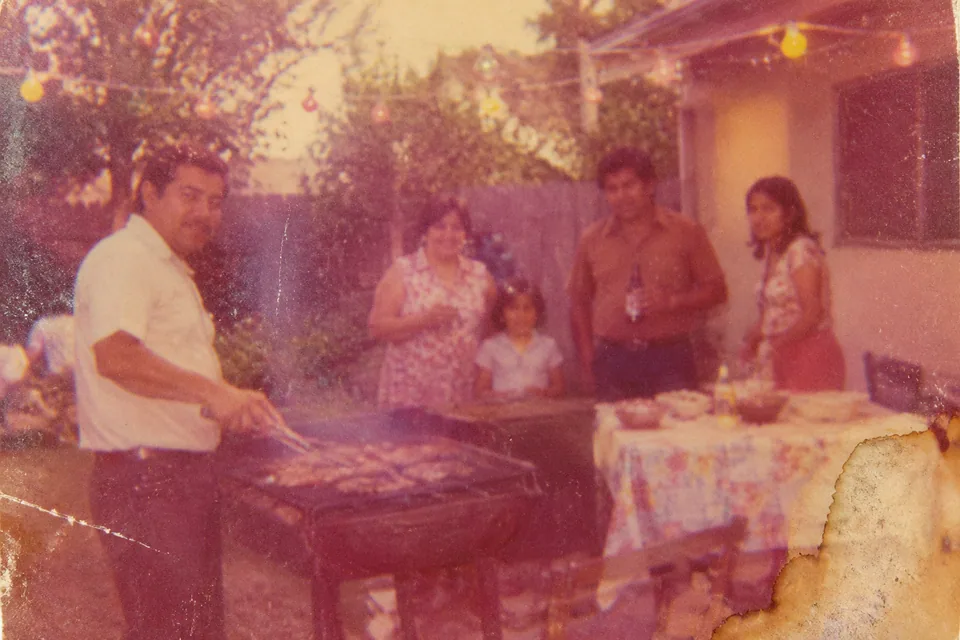
 BeforeAfter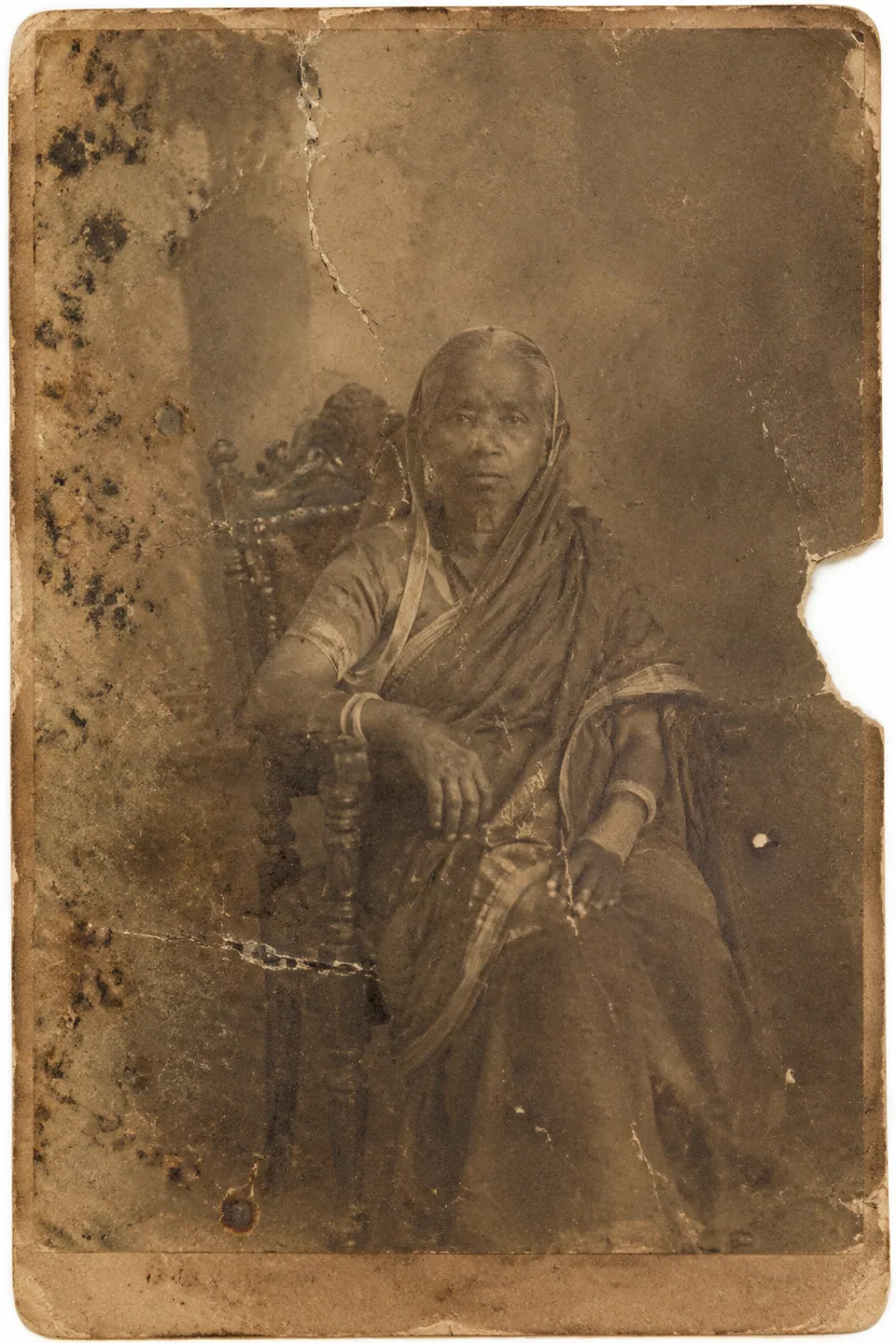
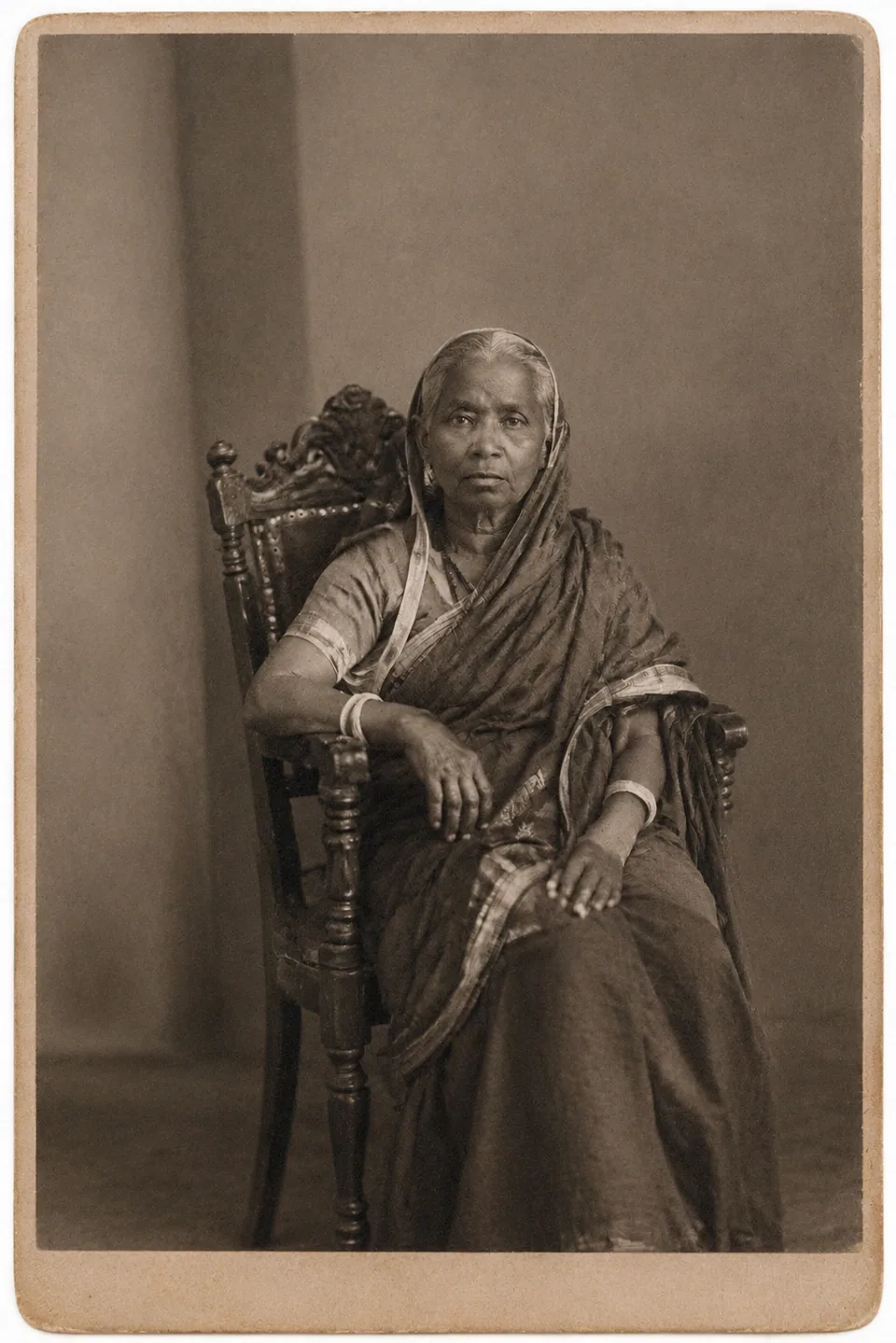 BeforeAfter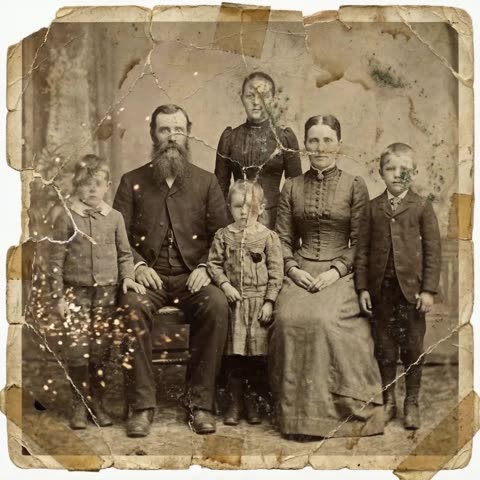
What AI photo restoration actually fixes
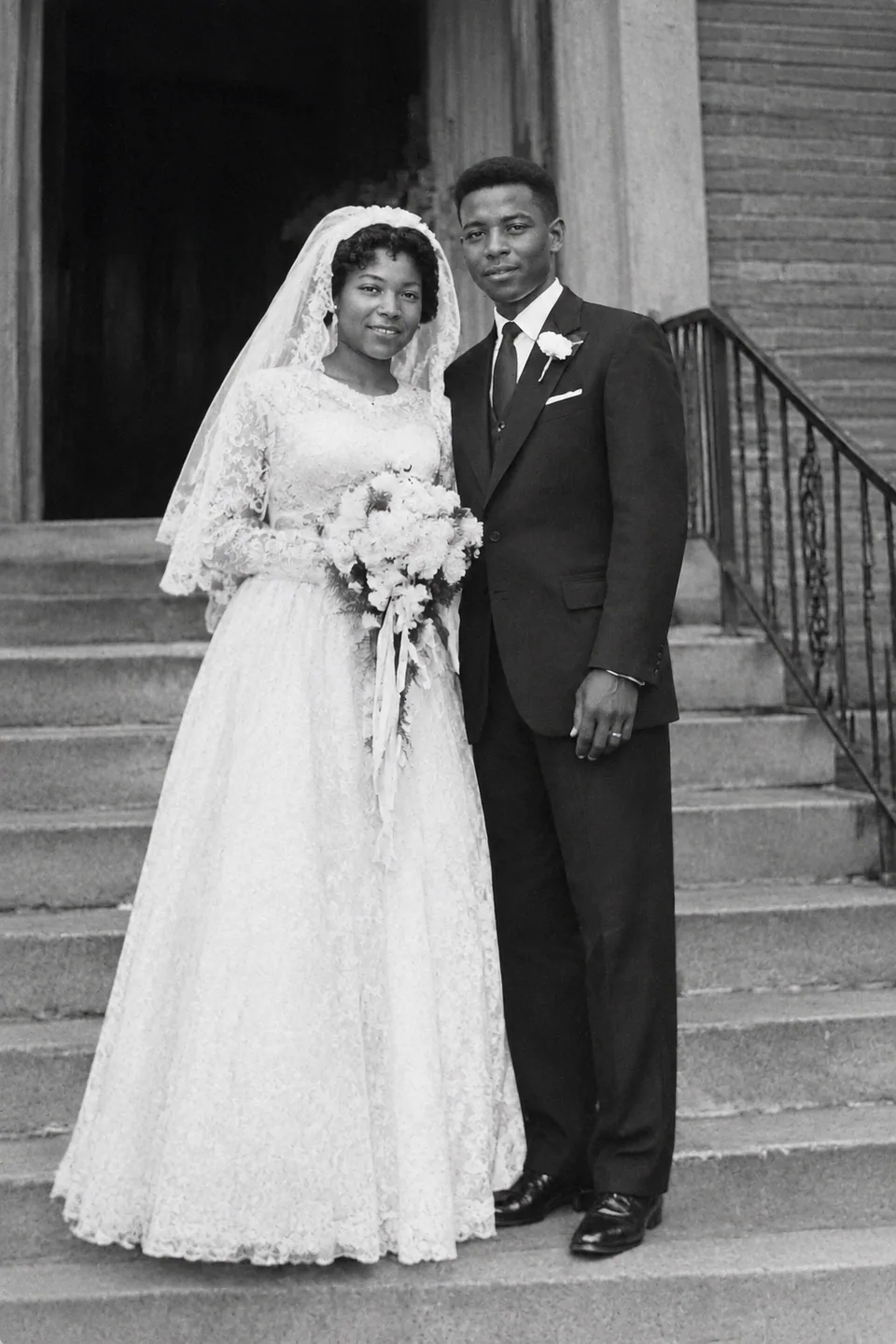
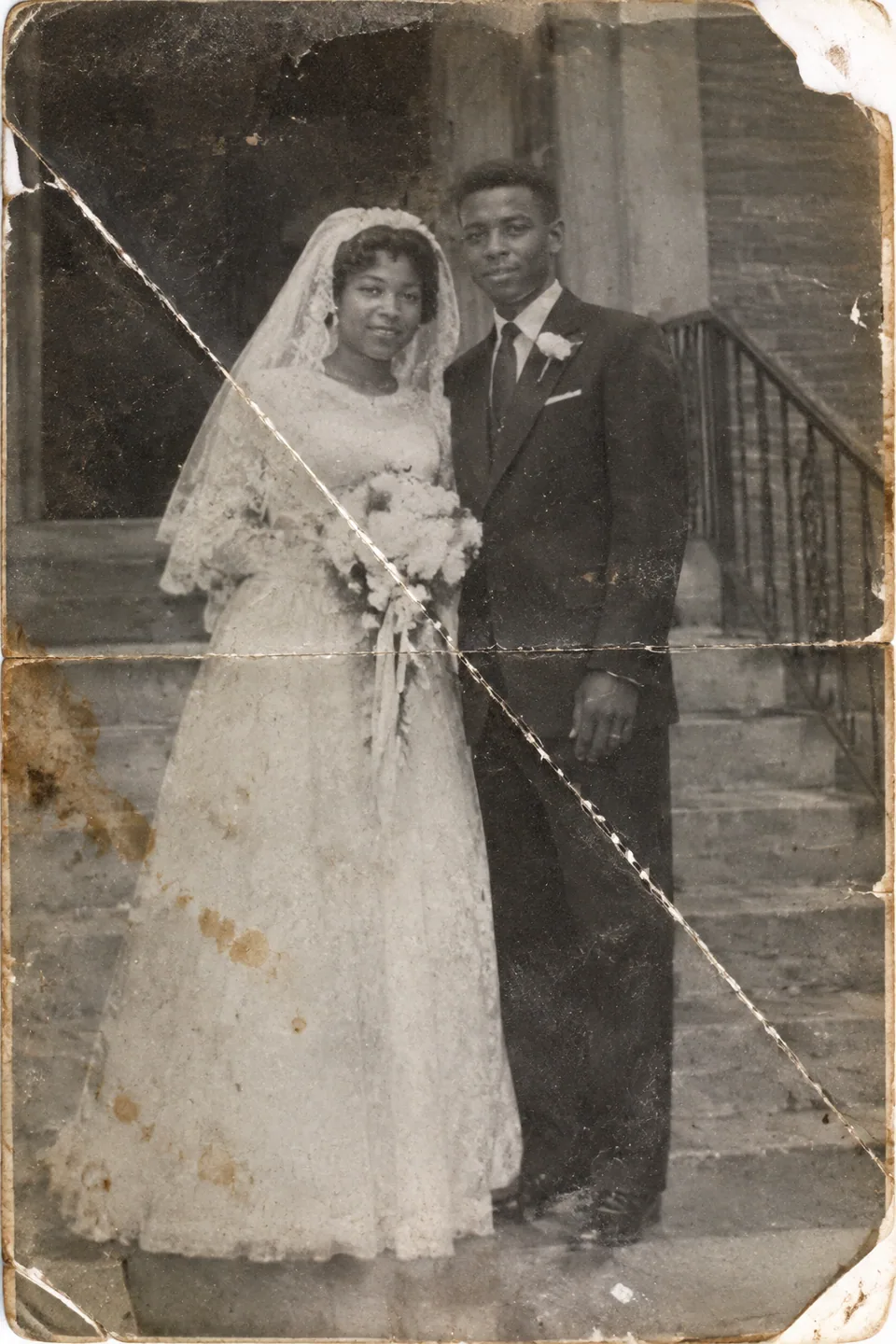
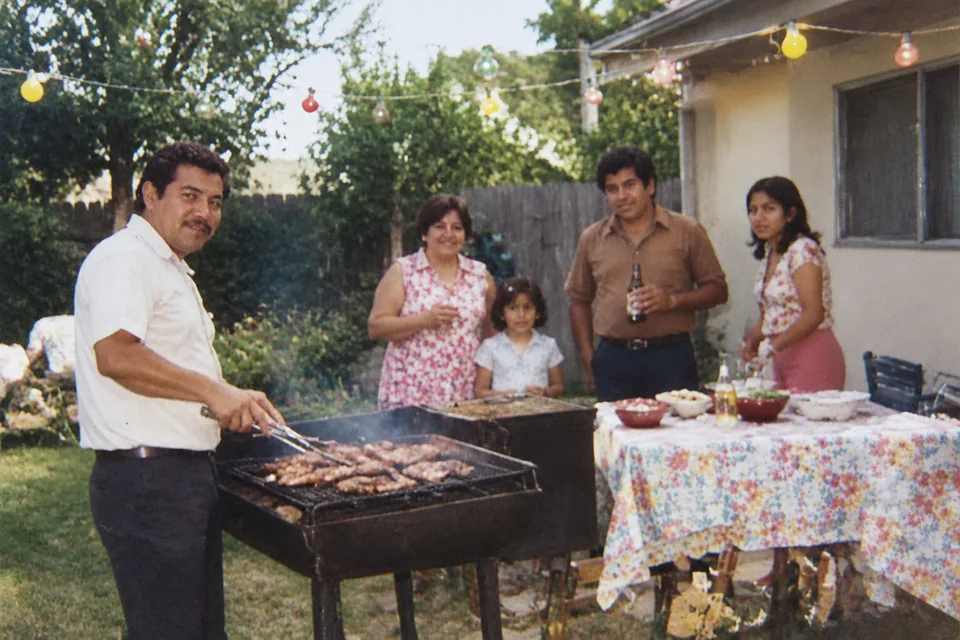
Time damages prints in predictable ways, and the model handles all of them in a single pass. It fills cracks and creases, removes scratches, tears and water stains, clears away dust, speckles and grain, and corrects the yellow or magenta cast that old color prints drift toward. Soft areas get their sharpness and texture back, so you can read the pattern on a dress or the stitching on a uniform again.
Just as important is what it leaves alone. Faces, identity, expression, clothing, pose and composition stay the way the photographer captured them. A black-and-white portrait stays black and white; a 1970s snapshot still looks like the 1970s. The goal is repair, not reinvention.
When a piece of the image is simply gone, such as a torn corner or a stain over a shoulder, the model rebuilds a plausible version from the surrounding area. Download the result, or run a variation if you'd like a second take on the same original.
Restore old photos for family history and genealogy
Family historians often have one surviving portrait of a great-grandparent, and it's usually the most damaged picture in the box. Repairing it makes the face readable again, which matters when you're matching relatives across records, attaching portraits to a family tree, or sharing finds with distant cousins.
Clean images also make better keepsakes. Print a restored wedding photo for your parents' anniversary, build a memorial slideshow, or put together a photo book for the next reunion. Nobody wants to stare at a crease running through Grandma's smile on a projector screen.
Offer photo restoration as a service
Plenty of Etsy shops, local print studios and freelance retouchers sell restoration to customers who mail in or upload their prints. The AI handles the heavy lifting on scratches, dust and fading, so you can spend your time on quality control, cropping and print prep instead of hours of manual cloning.
Because you pay per generation, the cost stays tied to actual orders. There's no seat license sitting idle between busy seasons like Mother's Day, Veterans Day or the holidays, when requests tend to pile up.
Works in your browser or on Telegram, pay as you go
Open the tool at tokion.io in any browser, on desktop or mobile, or send a photo to the Telegram bot @tokionaibot. Nothing to install, and it works the same in any country.
There's no subscription. Each generation is charged to one balance that also covers the other image tools, chat with dozens of AI models, and API access. New accounts get a starter balance, so you can try the tool on a real photo before adding funds.
Who it's for
Genealogists and family historians
Bring faded portraits and damaged records photos back to a readable state. Faces stay true to the original, so you can confidently attach them to your family tree and share them with relatives.
Families planning a celebration or memorial
Anniversary slideshows, memorial boards and printed tributes deserve clean images. Restore the key photos one by one and download files ready for printing or projection.
Etsy sellers and print studios
Turn restoration into a scalable offer. The AI clears scratches, stains and fading, and you focus on checking the result, cropping and preparing prints for your customers.
Creators sharing history on Instagram and TikTok
Throwback posts, local history accounts and family-story videos stand out with crisp vintage images. Restored photos still feel authentic, because the era's look is preserved.
Pro tips
- Scan at a high resolution if you can. If you're using a phone, shoot in soft daylight, hold the camera parallel to the print, and turn off the flash to avoid glare.
- Take prints out of frames and plastic album sleeves before capturing them; reflections can be mistaken for damage.
- Crop away the table, your fingers and album borders so the photo fills the frame.
- For a small face in a group shot, capture a separate close-up of that person and restore it on its own.
- Generate a couple of variations for important portraits and ask a relative who knew the person which one looks right.
Good to know
- If most of a face is missing, the model has to guess the lost features, and the likeness may not be exact.
- It doesn't colorize. Black-and-white and sepia photos keep their original tone.
- A heavily blurred or out-of-focus print will look cleaner, but it won't become a sharp studio portrait.
What it costs
- Pay only for what you generate — no subscription.
- One balance for image tools, chat with 52 AI models and the API.
- Free starter credits when you sign up, no card needed.
Questions
Will the AI change how people look?
No. The model is instructed to preserve faces, identity, expression, clothing and pose. It repairs damage on top of the image rather than redrawing the person. Only areas that were completely lost are reconstructed, so double-check those.
Can I use a phone photo instead of a scan?
Yes. A careful phone capture works well: even daylight, no flash, camera straight above the print. Glare and shadows hurt the result more than a modest resolution does.
Does it colorize black-and-white photos?
No. This tool focuses on repair and keeps the original tone. A monochrome portrait comes back cleaner and sharper, but still monochrome.
How many photos can I restore at once?
The form takes one photo per generation. For a large archive, upload prints one at a time so you can review each result and only pay for the ones you keep.
Can I print the restored photo?
Yes, and it will print much cleaner than the damaged original. For large prints, start with the best scan you can make. If you need extra sharpness, run the result through the AI Image Upscaler as well.
Can I sell restoration to my customers?
Many small studios and Etsy sellers do. Make sure customers own the photos or have permission to reproduce them, and review every result before delivering it.
Do I need a subscription?
No. It's pay as you go: each generation is charged to your balance, and new accounts get a starter balance. The same balance works for other image tools, AI chat and the API.
More image tools



Try AI Photo Restoration now
Free starter credits, no credit card. Works in any browser.
Open the tool — free