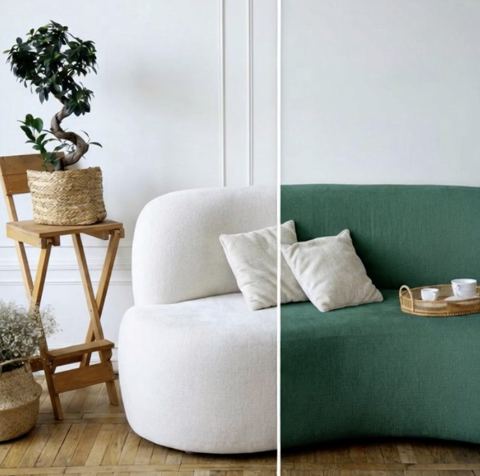
Change the Color of Anything in a Photo
Upload a photo, type what to recolor and the color you want. The AI repaints just that area while keeping its texture, shading and everything else in the frame untouched.
- $0.01per image
- 1photo to upload
- 0prompts to write
How it works
- 1Upload
Add one photo — the form tells you exactly what fits best.
- 2Adjust
Optional fields steer the result: style, mood, text to render.
- 3Download
Get a finished image in seconds, then iterate or try a variation.
Examples
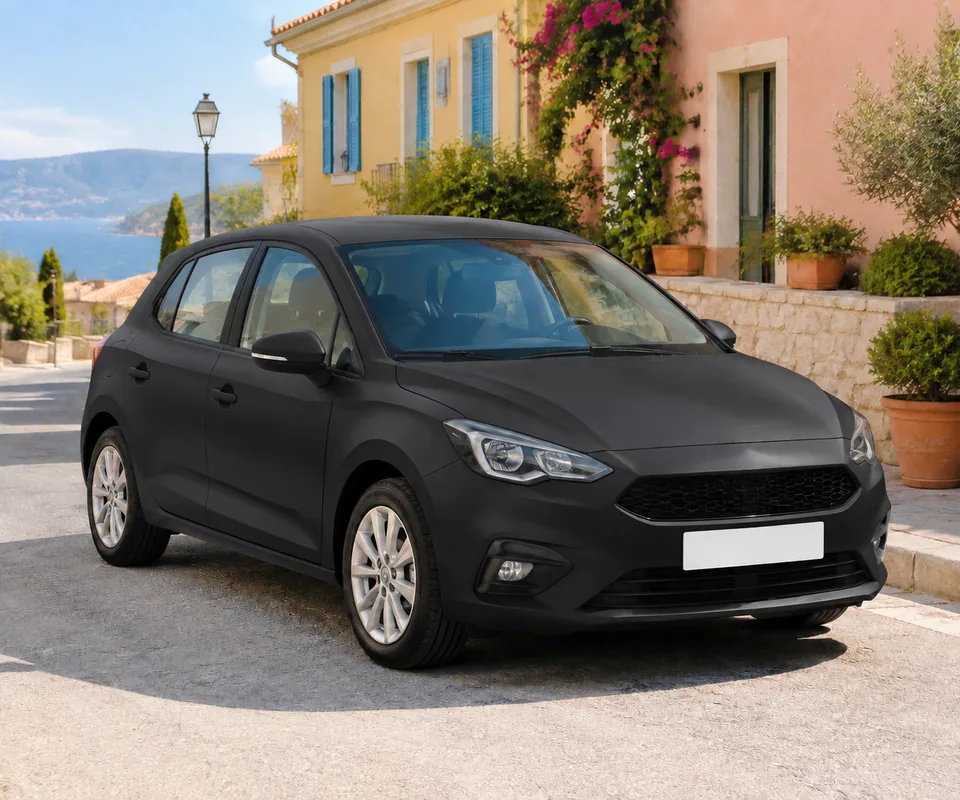
 BeforeAfter
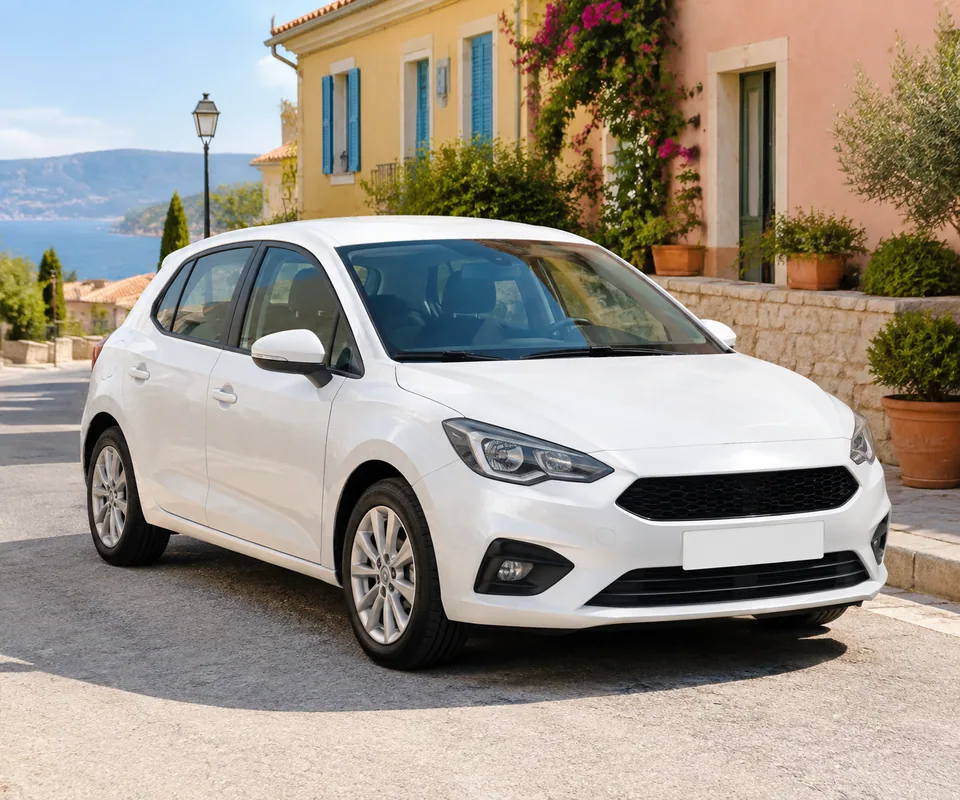
 BeforeAfter
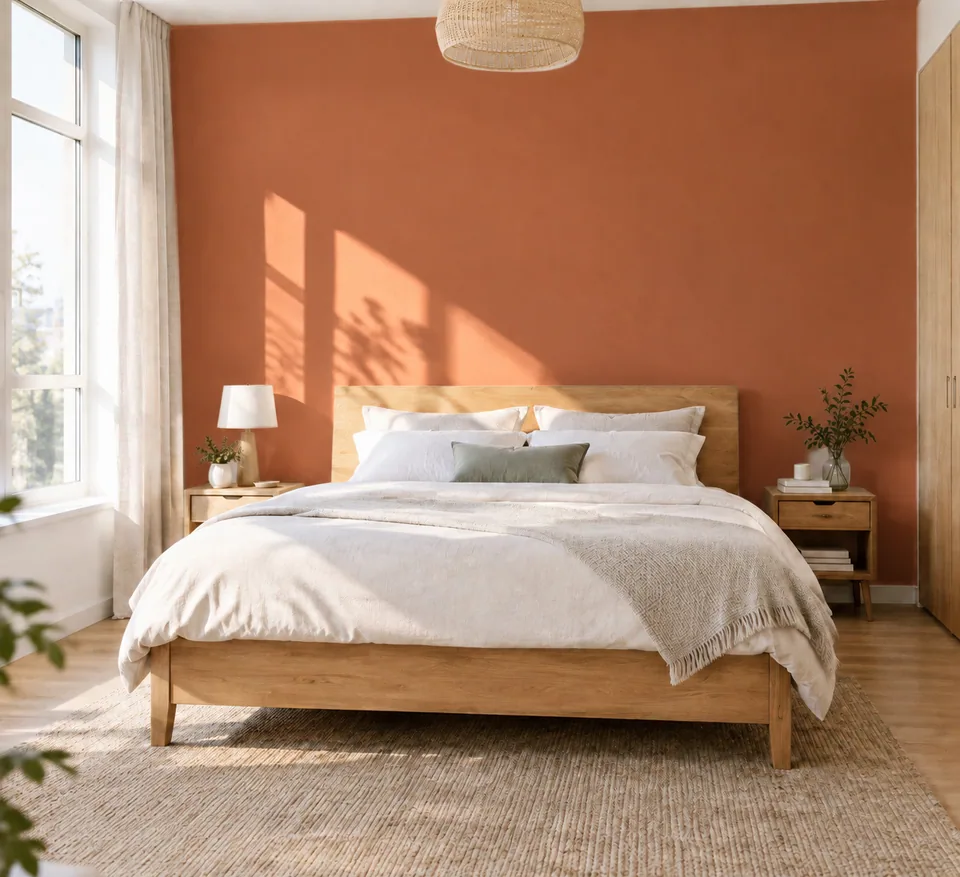
 BeforeAfter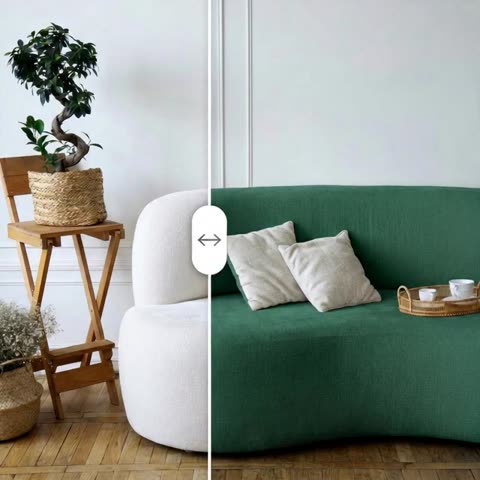
How to change the color of an object in a photo
Recoloring in a traditional editor means selecting edges, stacking adjustment layers and fighting to keep fabric folds and metallic highlights from turning into flat paint. This tool replaces that with two text fields.
Upload the image you want to edit. In Target region, type what should change: "t-shirt," "car body," "back wall," "sneakers," "sofa upholstery." In Target color, type the new shade: "red," "matte black," "pastel blue," "sage green," "burgundy." Adding a finish, like matte, gloss or metallic, helps.
The model repaints only that region. Original texture, material, shadows and lighting are preserved, and every other part of the image stays unchanged. The result looks like a photo of a different colorway, not a coloring-book fill.
Product colorways for Shopify, Etsy and Amazon
Color variants sell, but shooting every one is expensive. Apparel brands, furniture makers, sneaker customizers and home-goods sellers can photograph one sample and generate the rest of the palette for variant swatches on Shopify, color options on an Etsy listing or additional images on Amazon.
Be honest with buyers: the color shown should match the real product. Check the result against a physical swatch, and describe tricky shades carefully ("deep navy, almost black," "warm sand beige"). If a colorway isn't produced yet, label images as renderings or use them for pre-order and demand testing.
Running a poll on Instagram or TikTok about which color to launch next? Generate the options from one hero shot and let your audience vote before you order inventory.
Visualize paint, cabinets and upholstery before you commit
Choosing paint from a two-inch chip is a gamble. Snap a photo of the room in daylight and try "walls warm greige," then "walls pale sage." Interior designers can show clients three cabinet colors from a single kitchen photo; upholsterers can preview a sofa in a new fabric color before ordering yardage.
Car owners and wrap shops use the same approach: "car body satin graphite" or "car body pearl white" gives a quick preview before a wrap or respray. Posted as a before-and-after, it's also ready-made content for Instagram and Pinterest.
No subscription, one balance for all tools
Each generation is charged to a single pay-as-you-go balance that also covers the other image tools, a chat with dozens of models and the API. New accounts get a starting balance to test on their own photos. Works in any browser and in the Telegram bot @tokionaibot.
Who it's for
E-commerce and apparel brands
Generate every colorway from one product photo for Shopify variants, Etsy color options and Amazon galleries, without a reshoot per color.
Homeowners and renters
Preview wall paint, cabinet fronts, doors and upholstery in your actual room before buying a single can or yard of fabric.
Interior designers and wrap shops
Show clients several options from one photo, from kitchen cabinets to vehicle wraps, and get decisions faster.
Creators and product teams
Run "which color next?" polls, build carousels and mock up concepts before committing to production.
Pro tips
- Name the region clearly. If there are two people, write "jacket on the man on the left," not just "jacket."
- Describe the shade precisely: "muted emerald" or "warm sand" beats "green" or "beige."
- Add the finish when it matters: matte, gloss, satin or metallic, especially for cars and furniture.
- Shoot the source in neutral daylight; warm indoor bulbs skew the base color and the new shade may land off.
- Use the same source image for a whole colorway set so every variant looks consistent.
- If the shade is close, refine the color description or run a variation.
Good to know
- One region per generation. To recolor several objects, do them one after another.
- Exact matches to HEX, Pantone or paint codes aren't guaranteed; verify against a physical sample.
- Busy prints, patterns and logos on the recolored item may be simplified.
- Only color changes. Shape, cut and material stay the same.
What it costs
- Pay only for what you generate — no subscription.
- One balance for image tools, chat with 52 AI models and the API.
- Free starter credits when you sign up, no card needed.
Questions
What do I type in Target region?
The object or part of the image to change, such as "t-shirt," "car body," "wall" or "shoes." If there are similar objects, add position or context to make it unambiguous.
Will the recolor look flat or painted on?
No. The model keeps the original texture, folds, highlights, shadows and lighting, so the new color reads as photographed.
Can I use a HEX or Pantone code?
Descriptive color names work more reliably than codes. For product listings, always compare the result with the real item.
Can I recolor multiple objects at once?
One region per run. Download the result, upload it again and name the next object.
Is this OK for product listings?
Yes, as long as the shown color matches the real product. Mislabeled colors are a common cause of returns and bad reviews.
Does it work on mobile?
Yes, in a mobile browser or via the Telegram bot @tokionaibot.
How much does it cost?
Pay as you go: each generation is charged to your balance, and the current price is shown on this page. No subscription required.
Can I use a photo taken on my phone?
Yes. Even daylight and a sharp focus matter more than the camera. The more clearly the fabric or surface texture shows, the more natural the new color looks.
More image tools



Try AI Recolor Tool now
Free starter credits, no credit card. Works in any browser.
Open the tool — free