Men's Haircut Simulator: Try Men's Hairstyles on Your Photo
Found a fade or a textured crop but not sure it suits you? Upload that picture and a photo of yourself. The AI rebuilds the cut on your head and keeps your face, background and lighting as they are.
- $0.01per image
- 2photos to upload
- 0prompts to write
How it works
- 1Upload
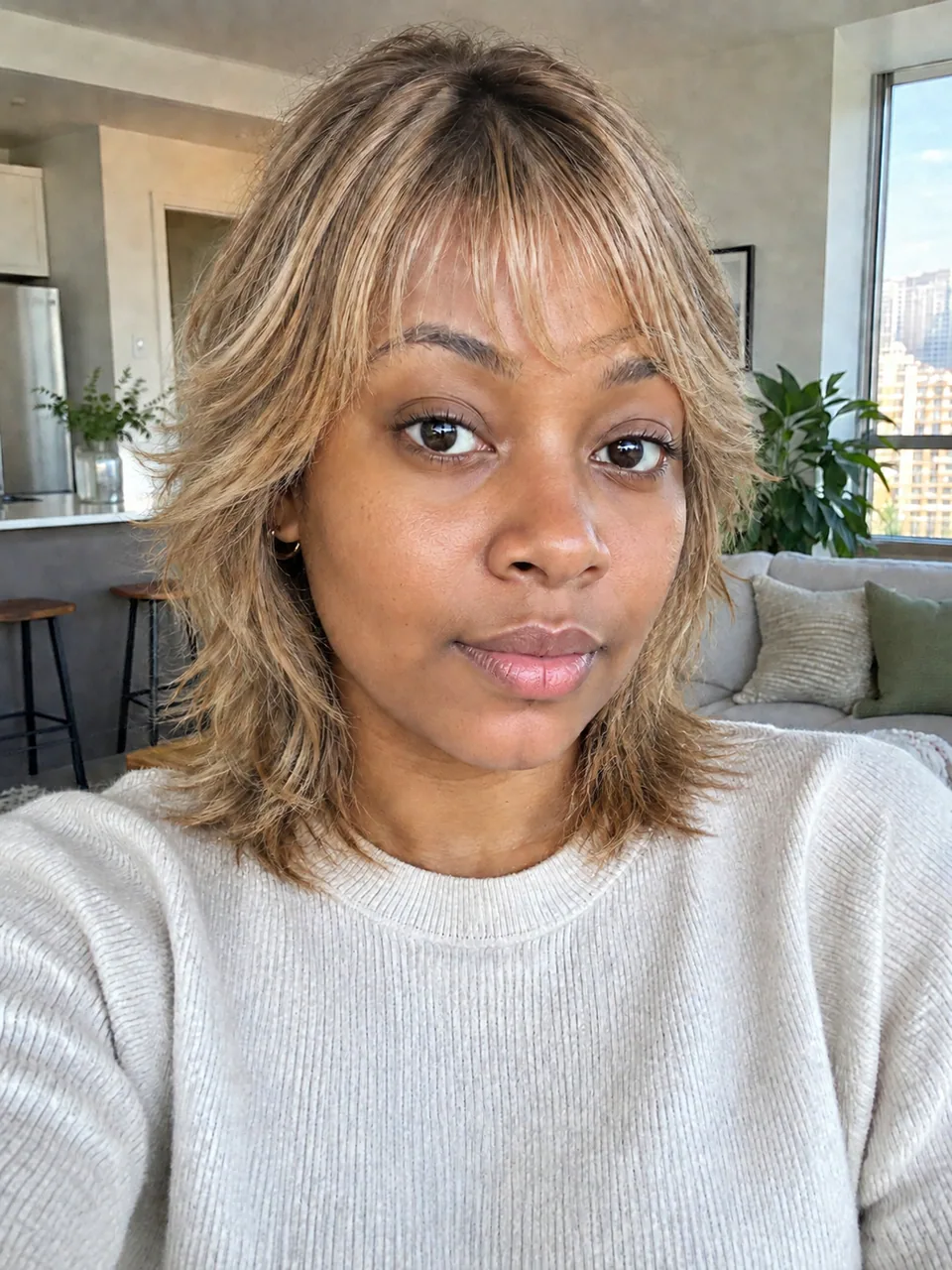
Add 2 photos — the form labels each slot so you know what goes where.
- 2Adjust
Optional fields steer the result: style, mood, text to render.
- 3Download
Get a finished image in seconds, then iterate or try a variation.
Examples
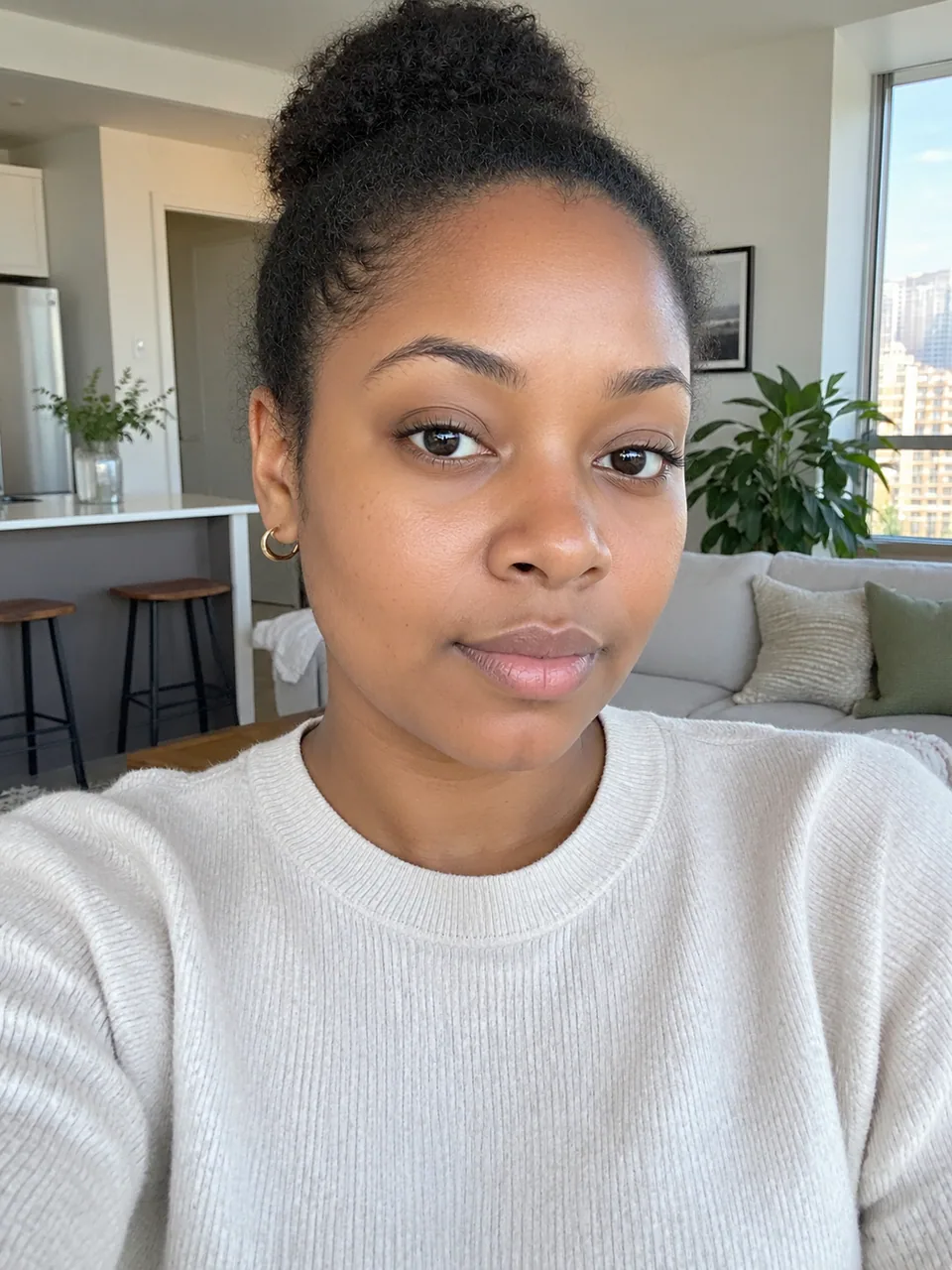 BeforeAfter
 BeforeAfter
 BeforeAfter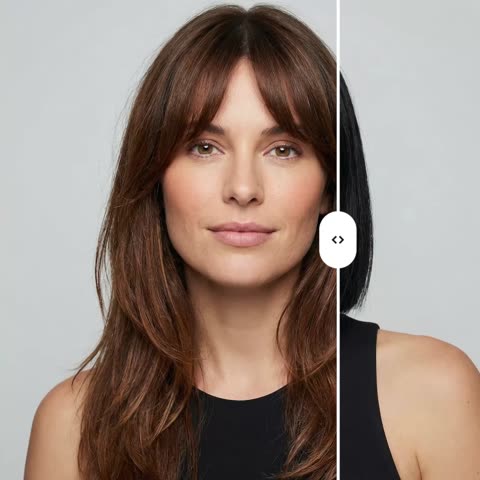
How the men's haircut simulator works
Men's cuts differ in details that are hard to describe: how high the fade starts, how much length stays on top, whether the neckline is tapered or blocked. That's why a men's haircut simulator driven by a picture beats a verbal description. You provide two images: a reference of the cut you want and a photo of yourself.
The model reads the reference and recreates its shape, length, color, texture and parting on your head. Your facial features, expression, pose, background and lighting stay unchanged. There's no prompt to type, so you don't need to know whether something is called a skin fade or a mid taper.
The catch is simple: the output is only as good as the reference.
Fades, undercuts and crops: what each style needs in a reference
A fade blends from very short on the sides to longer hair up top. The reference should clearly show the temple and the blend line. A dim, straight-on shot hides the sides, and the model may render them darker and fuller than intended; a slight three-quarter angle in even light works better.
An undercut has a hard disconnection instead of a blend: short sides and back, a longer top swept back or to the side. Pick a reference that shows the length on top and the direction it's styled. A textured crop, with its short forward fringe, transfers best from a front-facing photo where the fringe line is easy to read.
A pompadour or a voluminous slick-back depends on height, so a profile or three-quarter shot tells the model more than a straight-on one. A buzz cut has almost no shape to copy; the length and the hairline carry it. For shoulder-length hair or a man bun, choose a reference with the hair down, because a tied-back style hides the real length.
Try men's hairstyles on your photo: choosing a good reference
Barber portfolios, grooming magazines and professional lookbooks make the best references. A screenshot from a video works too, as long as the frame is sharp and the hair isn't blurred by motion. Skip heavily filtered shots and photos with colored stage lighting: hair color transfers from the reference, and a neon glow will end up on your head.
Look at the hair type in the reference. If the model has thick, straight hair and yours is fine and wavy, the image will show the shape, but real hair may sit differently. When you have several photos of the same cut, choose the one where the person's hair and head shape are closest to yours.
Run three or four generations back to back, for example a short fade, a crop and a classic side part, and compare them.
Beards, receding hairlines and working with your barber
This tool is built for the hairstyle, not the beard. Keeping your face intact is part of the instruction, so in most results your beard stays yours. It isn't guaranteed, though: a reference with a full beard can nudge the model into changing yours too. Trying on a new beard shape is not something this tool promises to do.
Be realistic about a receding hairline or thinning crown. The model builds hair from the reference and can make it look fuller than it will ever be in real life. In that case, look for references with shorter shapes, such as a crop, a buzz or a short fade, that a barber can actually recreate on your hair.
Show the result to your barber on your phone. It shows the shape on your own head, so your barber can tell you right away whether your density and growth pattern allow it or the length needs adjusting.
Who it's for
Guys ready for a change
Worn the same cut for years? Compare a fade, a crop and a longer top on your own face at home, then walk into the shop knowing exactly what to ask for.
Barbers and barbershops
Snap the client during the consultation, run a couple of references and agree on a direction before the clippers come out. Fewer mismatched expectations and more clients willing to try something bolder.
Grooming creators
Build 'which cut suits my followers' posts, before-and-after carousels for Instagram and TikTok, or style guides on real faces. The images look like photos, not filters.
Anyone growing their hair out
Planning to grow it to shoulder length? Preview the end result first, so the awkward in-between months feel like a step toward something you've already seen.
Pro tips
- Shoot your own photo without a cap or hood, in even daylight, facing the camera or at a slight angle so your temples and ears are visible.
- If your hair is slicked down with gel or pomade, use a photo with a natural, unstyled look; a flattened top can be mistaken for the shape.
- For fades and undercuts, pick a reference that shows the temple and the transition; for crops and fringes, a front-facing shot works best.
- Keep the head angle similar in both photos so the parting and the direction of the sweep look natural.
- Color transfers along with the cut. To keep your own shade, choose a reference with similar hair color.
- If the first try misses, generate a variation or swap in another photo of the same style.
Good to know
- It doesn't try on beards or mustaches. Your beard usually stays, but a reference with a heavy beard can change it.
- A receding hairline or thin hair may look fuller in the result than it can in real life. Your barber should judge what's achievable.
- You can't keep your own color and take only the shape: the whole hairstyle transfers, shade included.
- Group photos and shots where your head is covered by a cap, hood or hands give inaccurate results.
What it costs
- Pay only for what you generate — no subscription.
- One balance for image tools, chat with 52 AI models and the API.
- Free starter credits when you sign up, no card needed.
Questions
Do I need to know the name of the haircut?
No. There are no text fields; the reference photo defines the cut. Find a picture you like and upload it with a photo of yourself.
Can it show the difference between a fade and an undercut?
Yes, as long as the references clearly show the sides. Run one generation with each and compare them on your own face; the difference at the temples is easy to see.
Will my beard change?
The tool changes your hairstyle and aims to keep your face, so your beard usually stays. That's not guaranteed, especially with a full-bearded reference, and it can't be used to try on a new beard.
I have a receding hairline. What will the result show?
The model builds hair from the reference and may show more than you have. Treat the image as a guide to shape, and talk to your barber about what's realistic.
Can I try long hair if mine is short?
Yes, length comes from the reference. Pick one with the hair down; a bun or ponytail doesn't show the true length.
Where does it work and how do I pay?
In any browser on tokion.io and in the Telegram bot @tokionaibot. You pay as you go per generation from one balance, with no subscription.
Can barbershops post the results?
Yes, you can download and share them. If the photo shows a client, get their permission first.
Why does the cut look unnatural?
Usually the head angles differ too much or the reference is cropped. Use a sharper reference with a similar angle and run a variation.
More image tools


Try AI Hairstyle Changer now
Free starter credits, no credit card. Works in any browser.
Open the tool — free