Natural AI Skin Retouching for Portraits
Upload a portrait and get cleaner, more even skin without the plastic look. The AI reduces blemishes, redness and uneven tone, and keeps real texture, your features, expression and lighting intact.
- $0.01per image
- 1photo to upload
- 0prompts to write
How it works
- 1Upload
Add one photo — the form tells you exactly what fits best.
- 2Adjust
Optional fields steer the result: style, mood, text to render.
- 3Download
Get a finished image in seconds, then iterate or try a variation.
Examples
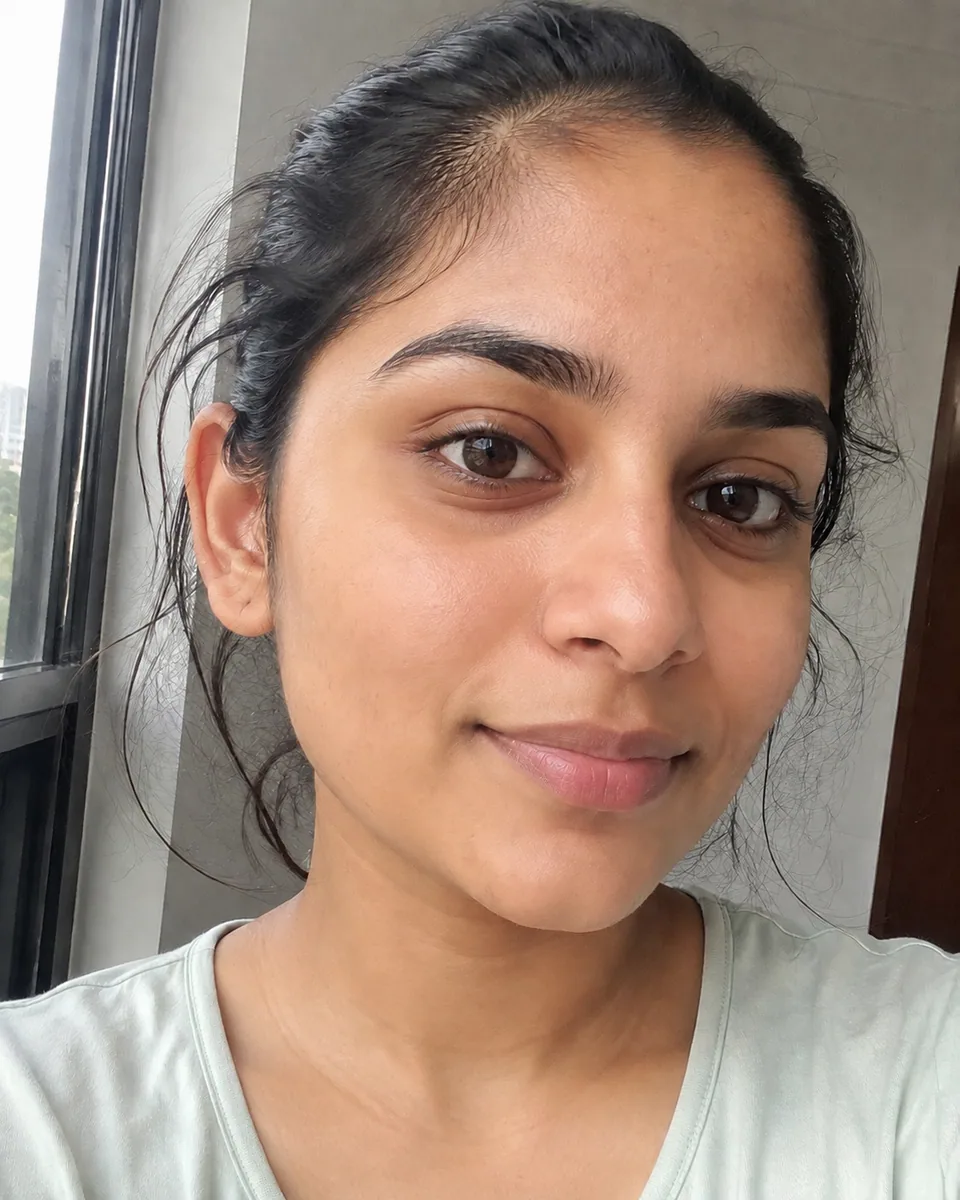
 BeforeAfter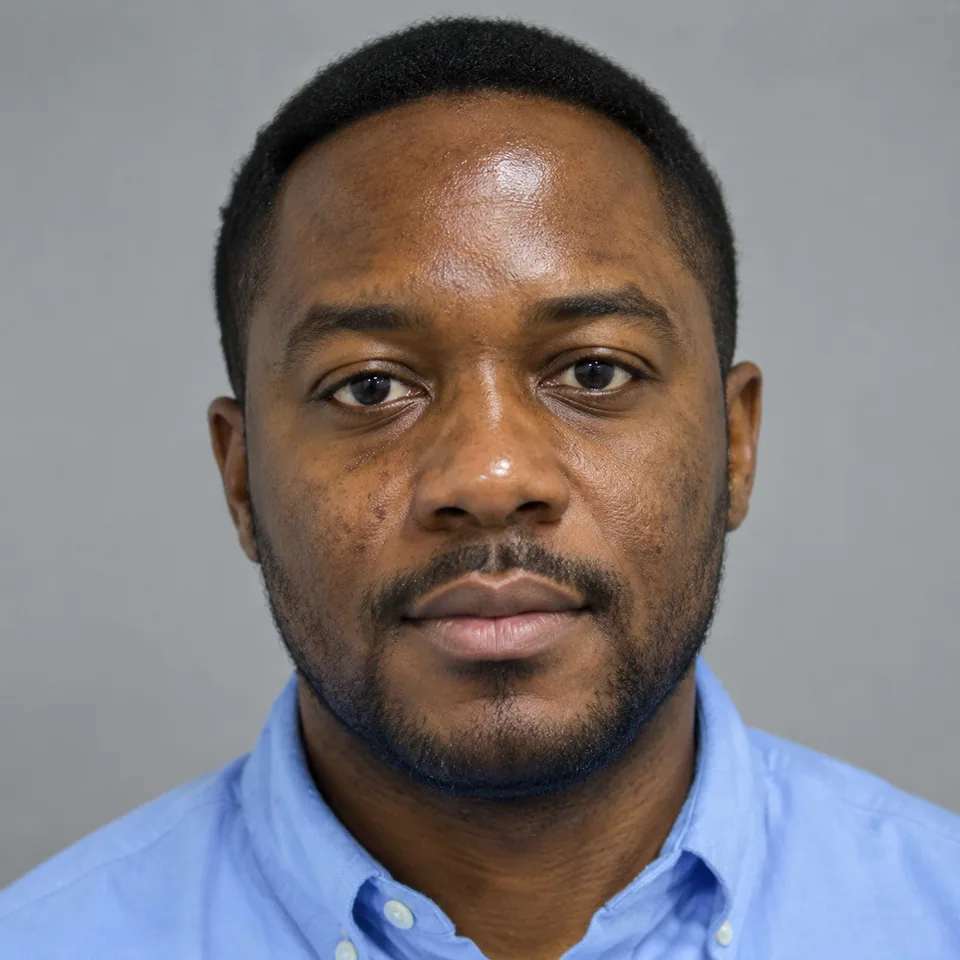
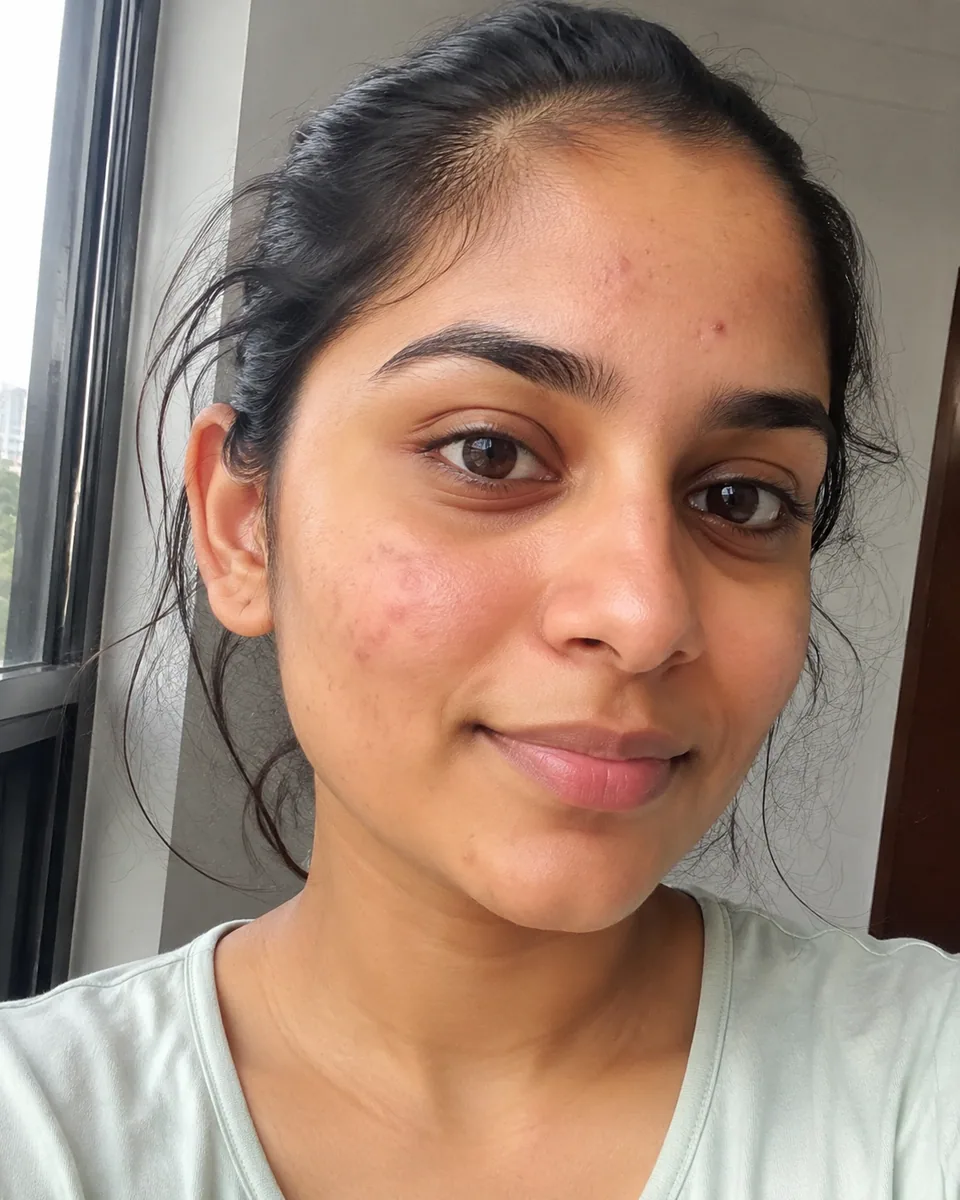
 BeforeAfter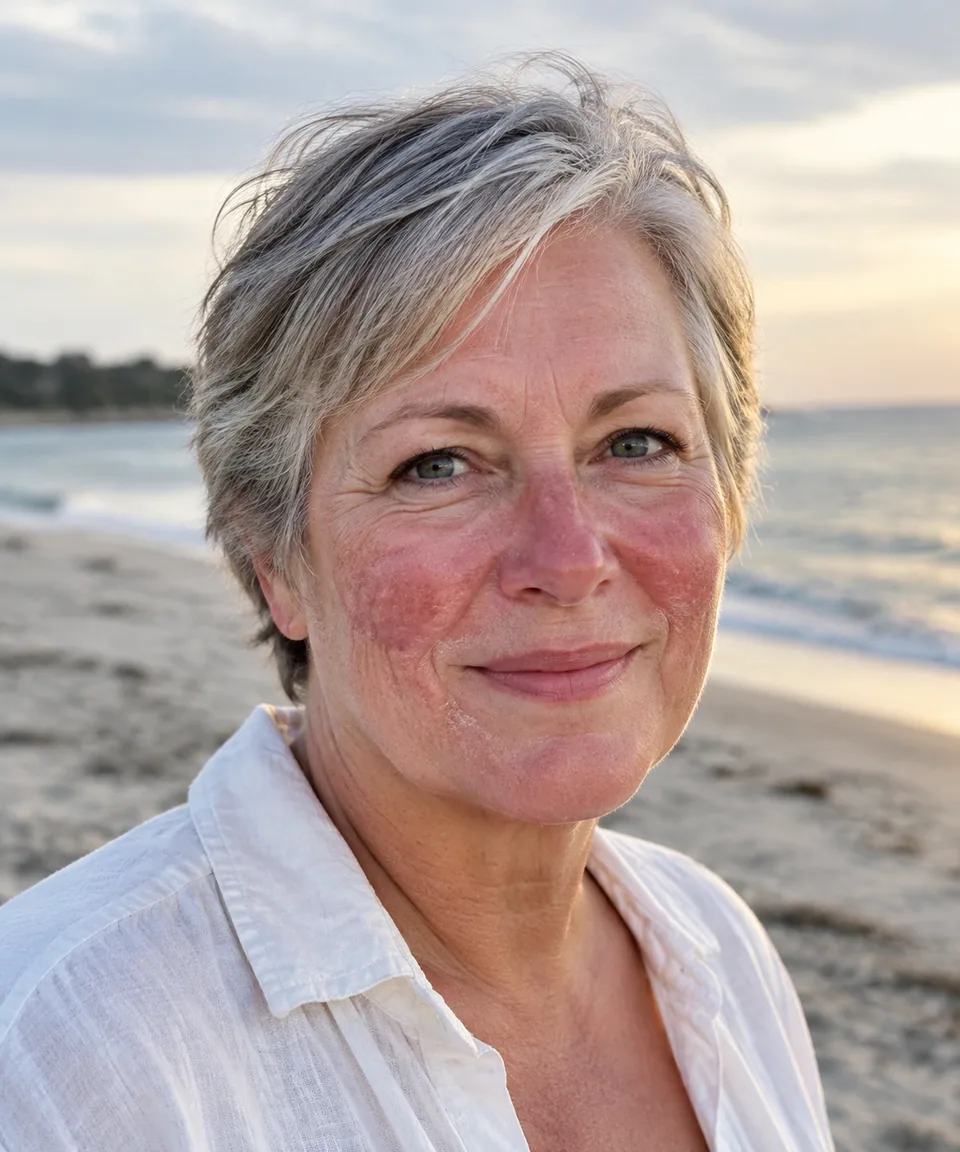
 BeforeAfter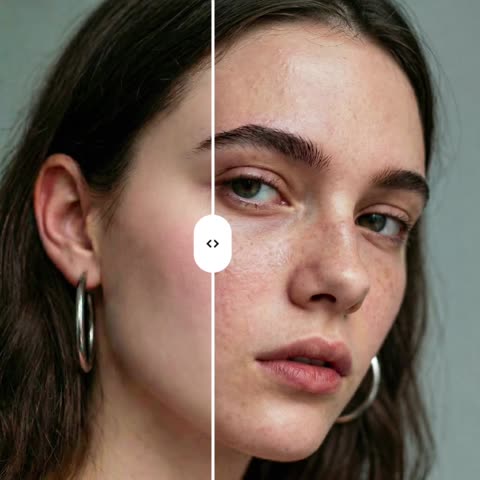
What the AI does to skin, and what it leaves alone
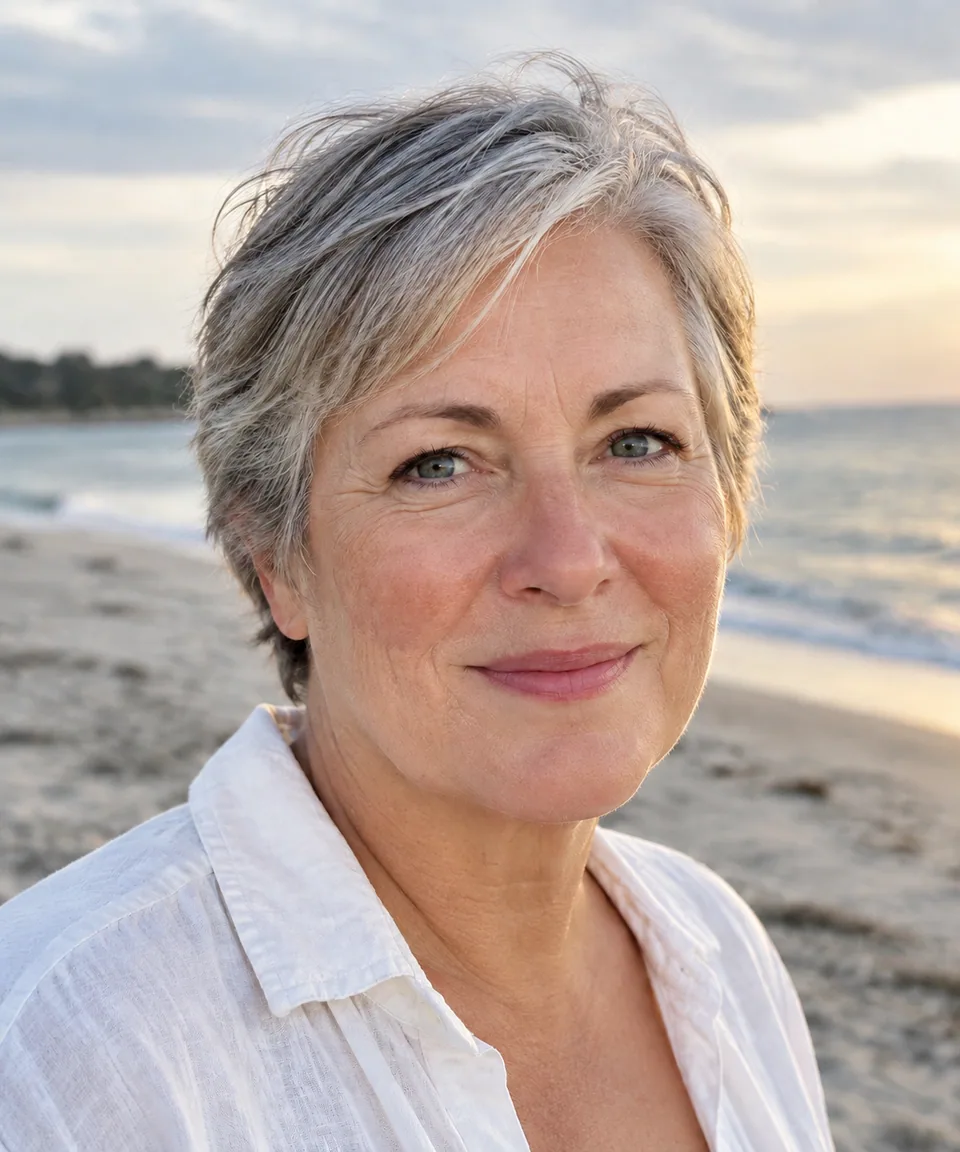
Heavy-handed smoothing is easy to spot: blurred pores, waxy foreheads, a face that no longer looks like its owner. This tool is tuned for the opposite. It refines natural texture, reduces blemishes, redness and blotchy tone, and keeps realistic pores and fine detail so skin still reads as skin.
Everything that makes a portrait yours stays put. Facial features, expression, hairstyle and the original light in the scene aren't touched. You get the photo you took, on a good skin day. Download it, or run a variation if you'd like a slightly different result.
Headshots for LinkedIn and your professional profile
A strong LinkedIn photo doesn't need a studio, but it does help when shaving irritation, a stress breakout or harsh office lighting aren't the first thing people notice. A light skin retouch keeps attention on your eyes and expression and still looks like you on the next video call.
The same goes for speaker bios, company About pages, podcast covers and author photos. If the original is also a little soft, run it through the AI Image Upscaler first, then retouch.
Skin retouching for creators and photographers
Creators on Instagram and TikTok often want thumbnails and profile shots that look polished without the obvious beauty-filter blur. Because texture, freckles and moles are preserved, followers see the same person on camera and in stills.
Photographers delivering volume work, such as school portraits, corporate headshot days, events or family sessions, can use the AI for a consistent base retouch across a set. Save your manual time for hero images and tricky frames. Small brand founders can do the same with portraits for their Shopify or Etsy About page.
Pay per portrait, in your browser or on Telegram
The tool runs in any browser at tokion.io and in the Telegram bot @tokionaibot, so you can retouch a selfie right from your phone. There's one photo field and no sliders to learn.
Pricing is pay as you go with no subscription. Each generation comes out of one balance that also covers other image tools, chat with dozens of AI models, and API access. New accounts receive a starter balance to try it on a real portrait.
Who it's for
Job seekers and professionals
Polish a LinkedIn headshot, resume photo or company profile picture. Skin looks clean and rested, and you still look exactly like yourself.
Creators and influencers
Profile pictures, thumbnails and covers for Instagram, TikTok and YouTube. A natural look without filter blur, so your stills match your videos.
Portrait and event photographers
Apply a consistent base retouch to headshot days, school portraits and family sessions, then spend your manual editing time on the frames that need it.
Founders and small brands
Clean, credible team photos for your website, press kit or Shopify About page, without booking a retoucher for every image.
Pro tips
- Pick a photo where the face is well lit and fills a good part of the frame. Tiny faces in a crowd give the model less to work with.
- Upload the unfiltered original. Retouching a photo that already has a beauty filter doubles the smoothing and looks artificial.
- Soft window light makes the best starting point; direct overhead light exaggerates texture and shadows.
- For group shots, crop around the person first and process that crop.
- Compare before and after at full size. If it looks too strong or too subtle, generate a variation.
Good to know
- It only works on skin. It won't reshape faces, slim features or change apparent age.
- There are no strength sliders; variations are the way to try a different result.
- Don't use it for skincare, cosmetic or treatment before-and-after claims. Retouched images would mislead customers.
- Blurry or very noisy photos stay soft; use the upscaler for sharpness.
What it costs
- Pay only for what you generate — no subscription.
- One balance for image tools, chat with 52 AI models and the API.
- Free starter credits when you sign up, no card needed.
Questions
Will my skin look plastic?
No. The model is instructed not to over-smooth, so pores and fine texture remain. It targets blemishes, redness and uneven tone rather than erasing detail.
Will I still look like me?
Yes. Features, expression, hairstyle and lighting are preserved. That matters for LinkedIn and business profiles, where people should recognize you on a call or in person.
Does it remove freckles, moles or scars?
It generally treats them as part of your look and focuses on temporary issues like breakouts and redness. If you want a different balance, try a variation.
Can I use it for passport or ID photos?
Official photos usually must be unretouched. Check the rules where you're applying and don't use retouched images where they aren't allowed.
Is it useful for photographers?
Yes, especially for volume work. Process each portrait as its own generation for a consistent base retouch, then finish key images by hand if needed.
Can I retouch photos of clients or other people?
Yes, as long as you have their permission to edit and publish the image. Photographers usually cover this in their session agreement. Keep the edit honest: the tool evens skin, it doesn't change who someone is.
Can I use it on my phone?
Yes. Open tokion.io in your mobile browser or send the photo to the Telegram bot @tokionaibot and get the result back in the chat.
How is it priced?
Pay as you go, no subscription. Each generation is charged to your balance, and the current price is shown on this page. New accounts get a starter balance.
More image tools




Try AI Skin Retoucher now
Free starter credits, no credit card. Works in any browser.
Open the tool — free