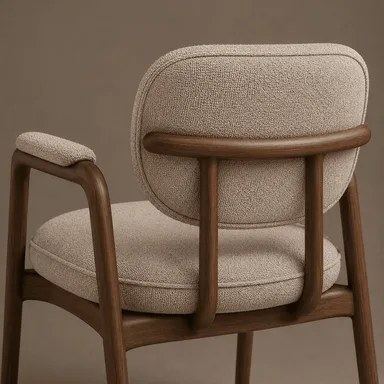
AI Material Transfer for Photos
Show the AI a swatch of the finish you want and a photo of the object that should wear it. You get the same scene back, with the sofa, jacket or countertop rendered in the new material.
- $0.01per image
- 2photos to upload
- 0prompts to write

How it works
- 1Upload
Add 2 photos — the form labels each slot so you know what goes where.
- 2Adjust
Optional fields steer the result: style, mood, text to render.
- 3Download
Get a finished image in seconds, then iterate or try a variation.
Examples
 BeforeAfter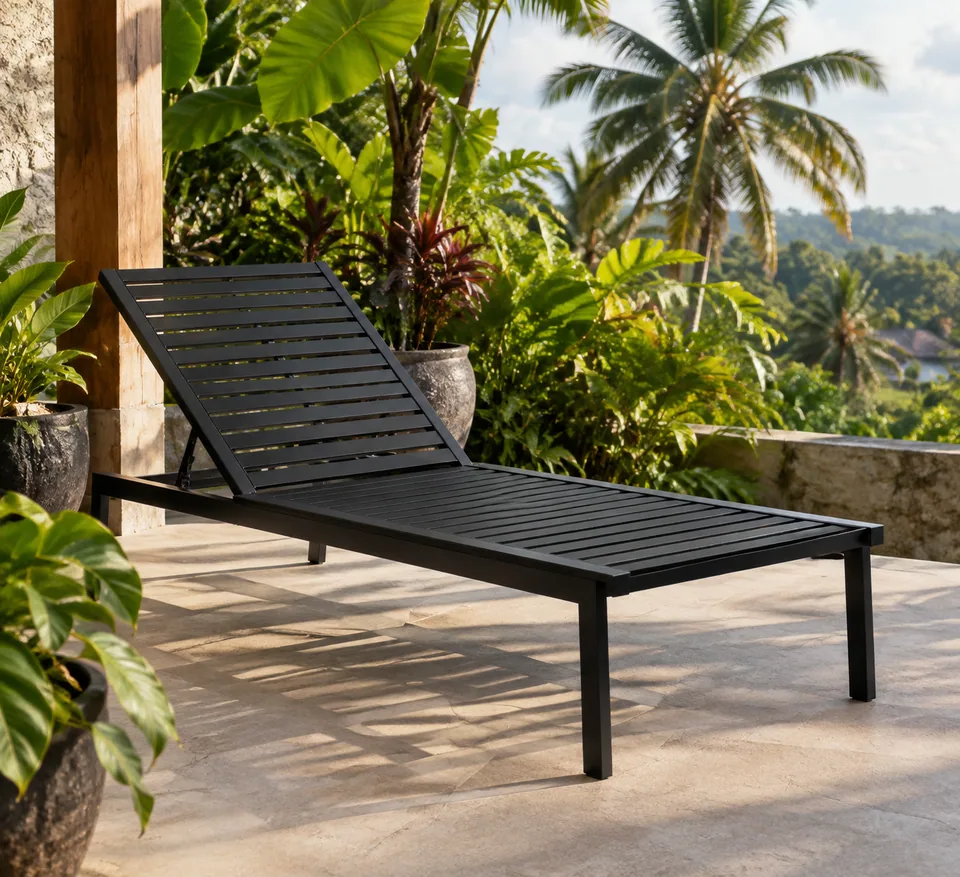
 BeforeAfter
 BeforeAfter
How AI material transfer works
The form takes two images and one short text field. The first image is your material reference: a close-up of leather, walnut, terrazzo, linen, brushed steel, anything with a clear surface. The second is the target photo. In the text field you name the object that should change, such as "sofa", "jacket", "back wall" or "dining table".
The model reads the texture from the reference and applies it only to the object you named. Its shape, seams, edges and hardware stay exactly where they were, and so does the rest of the scene: camera angle, lighting, props and people. Scale and reflections are adjusted to the surface, so marble picks up highlights, velvet reads soft and matte, and wood grain follows the curve of a chair back instead of lying flat like a sticker.
Download the result or run a variation if you want the pattern laid out differently.
One product photo, every finish in your catalog
Colorway and material variants are where product photography budgets go to die. If you sell furniture, bags, phone cases or home goods on Shopify, Amazon or Etsy, shoot the hero product once and preview it in the other materials you actually stock. A leather tote becomes suede, a pine stool becomes oak, a cotton cushion becomes linen, with the same angle and lighting across the set.
That consistency makes variant galleries look professional and lets you test demand for a finish before committing to inventory. Post the options as a carousel on Instagram or a poll in Stories and let your audience vote.
One ground rule: only list materials you really sell. Shoppers expect the texture in the box to match the photo, and returns erase any savings.
Finish previews for interior designers and makers
Interior designers can drop a client's actual living room into a quick decision round: the same space with oak paneling, a limewash wall or a stone island. It is faster than a full render and more convincing than a mood board, because the client recognizes their own room.
Upholsterers, custom furniture studios and renovation contractors use material transfer as a sales tool. Photograph the piece or the room, swap in two or three swatches from your supplier, and send the options with your quote. The conversation shifts from "imagine this" to "which one do you like?"
Pay as you go, in the browser or on Telegram
There is no subscription. Each generation is charged to one balance that also covers the other image tools, chat with dozens of models and the API. New accounts get a starting balance, so you can try a few swatches on your own photos first.
The tool runs in the web app and in the Telegram bot @tokionaibot. Missing a swatch? Generate one in chat ("close-up of cream boucle fabric, even light") and use it as the reference right away.
Who it's for
E-commerce sellers
Show a product in every material you offer from a single shoot. Consistent variant images for Shopify, Amazon, Etsy and eBay without booking another photo day.
Interior designers
Present finish options on the client's real room. Walls, floors, counters and upholstery can be compared side by side in the first meeting.
Furniture makers and upholsterers
Photograph a frame once and let customers pick fabrics from supplier swatches before you cut anything.
Fashion and accessory designers
Preview a jacket, bag or shoe in a new leather or textile to validate a colorway before sampling.
Pro tips
- Shoot the swatch flat and close, filling the frame, under soft even light with no glare.
- Name the object precisely: "sofa cushions", "left wall", "jacket sleeves". Vague words like "furniture" give unpredictable results.
- Target photos taken in daylight without flash give the model cleaner shadows to work with.
- To compare several materials, keep the same target photo and change only the swatch.
- If the pattern scale looks off, run a variation instead of re-uploading both files.
Good to know
- It changes surface material only. It will not reshape an object, add armrests or alter a garment's cut.
- Exact color matching to a specific fabric code isn't guaranteed; confirm with a physical sample before ordering.
- When several similar objects are in frame, the model may restyle the wrong one or more than one. Be specific in the text field.
- Very fine repeating patterns can land unevenly and may need a few tries.
What it costs
- Pay only for what you generate — no subscription.
- One balance for image tools, chat with 52 AI models and the API.
- Free starter credits when you sign up, no card needed.
Questions
Which image goes first?
The material reference goes first, the photo you want to change goes second. If you swap them, the model will take the texture from the wrong image.
What should I type in the object field?
A short name of the thing to restyle: sofa, jacket, wall, table. Add a position if there are several, like "chair by the window".
Does it change anything else in the photo?
No. The aim is to preserve the scene's composition, lighting and perspective, plus the object's shape and details. Only the material of the named object changes.
Can I use it on clothing worn by a person?
Yes. Name the garment and the fit and pose stay the same. Use your own photos or images of people who agreed to it.
Can I use the results in product listings?
Yes, as long as you actually sell the item in that material and have rights to both images. Marketplaces expect photos to represent the real product.
How much does it cost?
It's pay as you go: each generation is charged to your balance, and the current price is shown on this page. No subscription required.
Can I describe the material in words instead of uploading a swatch?
Not in this tool; it needs a reference image. You can generate a texture image in chat first and then use it as the swatch.
More image tools





Try AI Material Transfer now
Free starter credits, no credit card. Works in any browser.
Open the tool — free