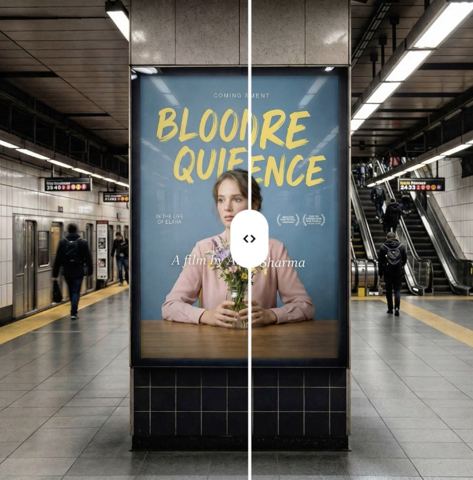
Translate Text in Images Without Rebuilding the Design
Upload a banner, a label or a social post and name the language you need. The AI swaps every visible line for an accurate version in that language and leaves the artwork untouched.
- $0.01per image
- 1photo to upload
- 0prompts to write
How it works
- 1Upload
Add one photo — the form tells you exactly what fits best.
- 2Adjust
Optional fields steer the result: style, mood, text to render.
- 3Download
Get a finished image in seconds, then iterate or try a variation.
Examples
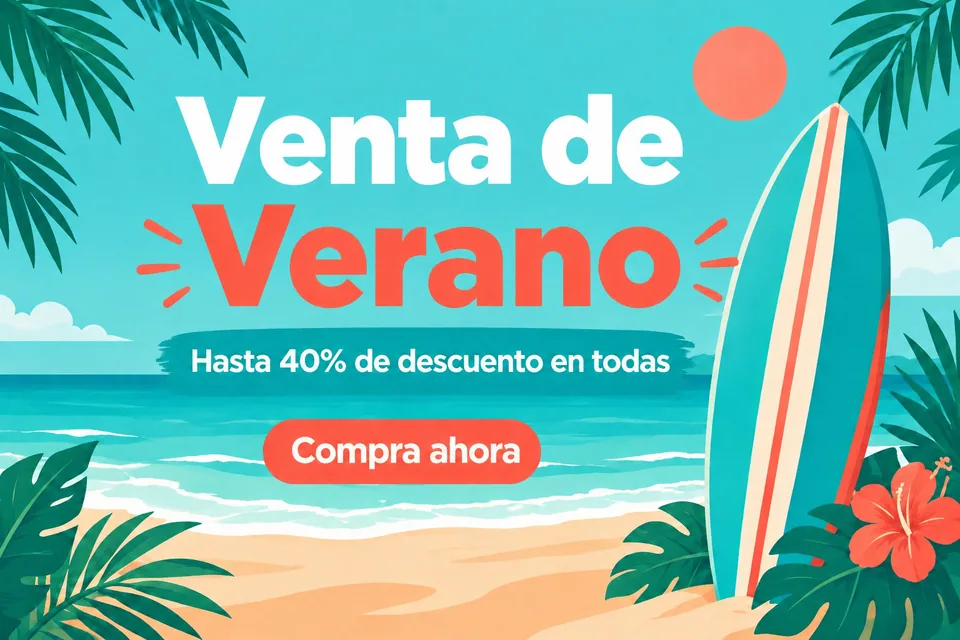
 BeforeAfter
 BeforeAfter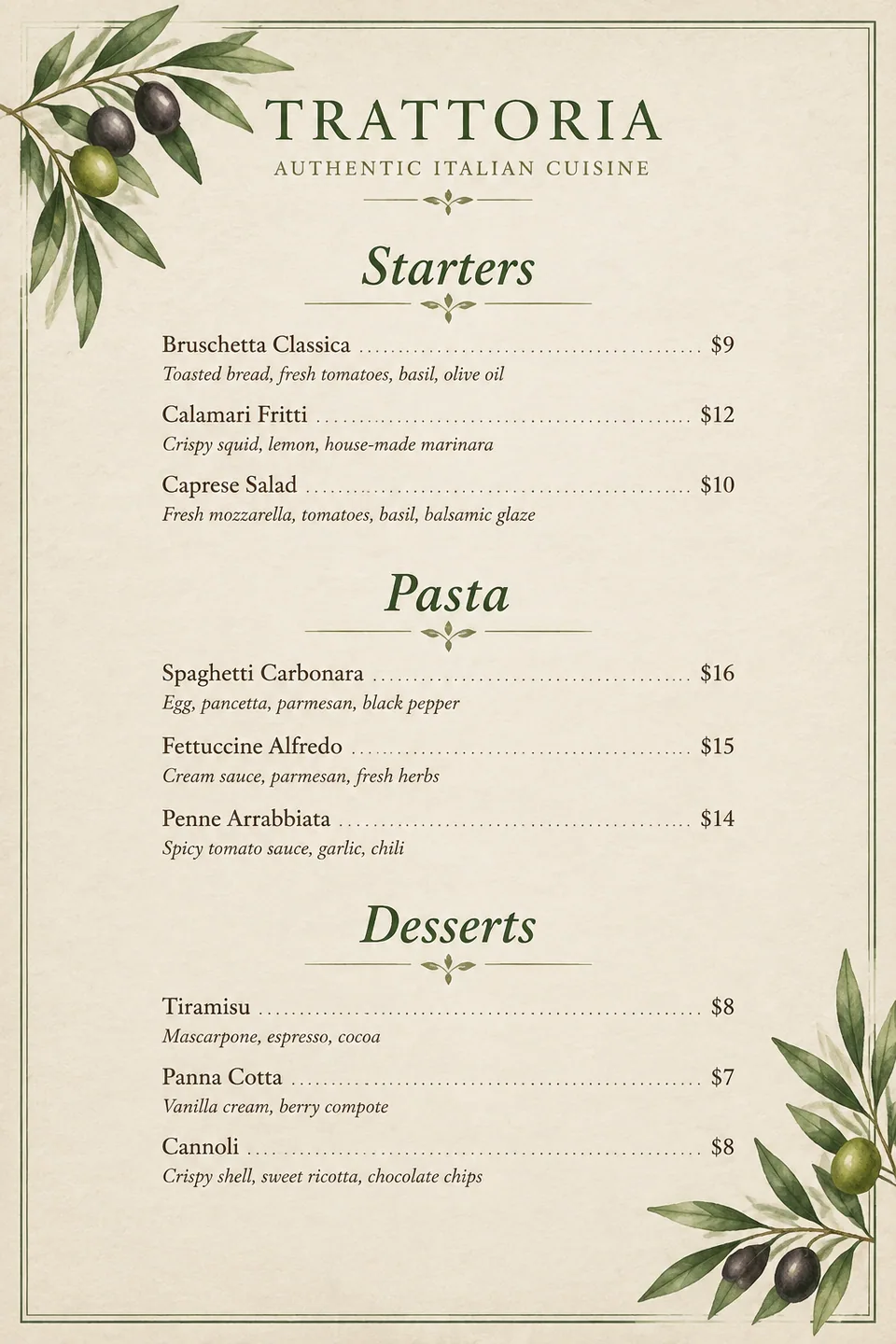
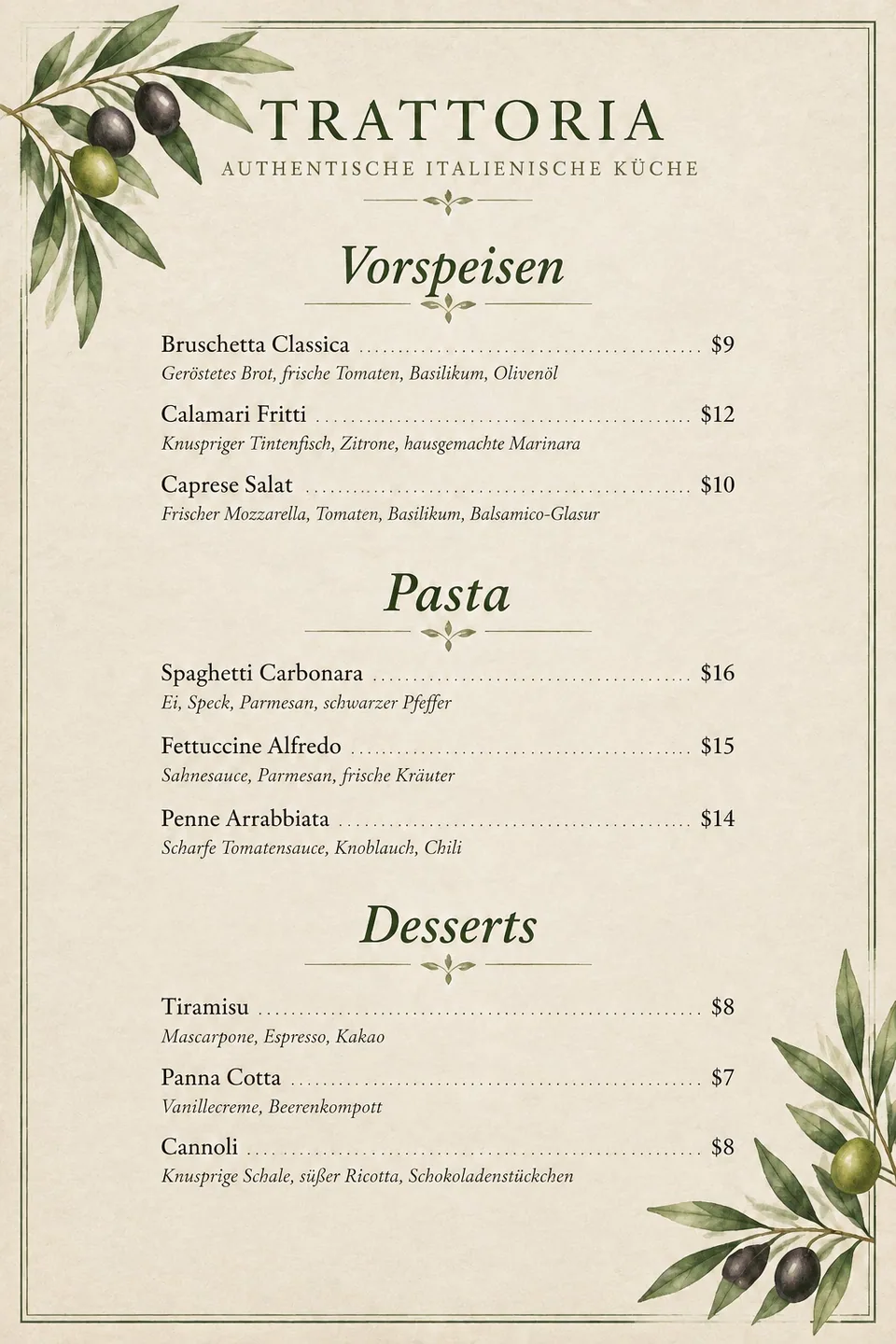 BeforeAfter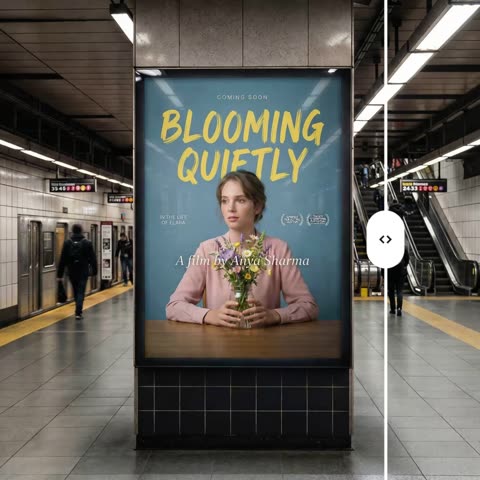
How to translate text in an image and keep the layout
Localizing a visual usually means opening the source file, retyping every line, hunting for a font that supports the new alphabet and nudging text boxes until nothing overflows. When the source file is gone, or the image came from a supplier, it means starting over. This tool works from the finished picture instead.
You upload one image that contains text and type the target language, such as Spanish, German, French or Turkish. The AI reads all of the visible copy and replaces it with a faithful rendering in that language. Layout, font sizes, colors, alignment and every photo or illustration stay exactly where they were, and the new text is set to match the original typography as closely as possible: bold headlines stay bold, small print stays small.
One run produces one language. Need five markets? Run the same file five times with a different language each time.
Localize ad creatives for every market
Performance teams know that ads in the viewer's own language usually outperform English-only versions, but producing variants eats design hours. Build the master creative once, then generate the Spanish, Portuguese and German versions from the flattened export. Every variant keeps the same visual system, so brand consistency comes for free.
Agencies use the tool to show a client how a campaign would look in a new region before committing budget. Event organizers produce bilingual posters and social tiles. Restaurants near tourist areas translate menu boards and specials without calling the designer back.
Multilingual product images for Amazon, Etsy and Shopify
Selling across borders means listing images need to speak the buyer's language: feature callouts, size charts, how-to-use graphics and packaging shots. Upload an infographic from your US listing and create versions for Amazon marketplaces in Germany, France or Spain, or for a Shopify storefront that serves several countries.
Etsy sellers of printables, such as planners, wall art with quotes and greeting cards, can offer each design in several languages without redrawing it. That turns one bestseller into a small multilingual collection.
Always double-check numbers, measurements and material names before you publish. The AI translates meaning well, but you are responsible for product claims.
Pay as you go, in the browser or on Telegram
Tokion runs in any browser and in a Telegram bot, so you can forward an image and get the translated version back in the same chat. There is no subscription: you pay per generation from one balance that also covers other image tools, chat with dozens of models and the API. New accounts get a starter balance to test on real files.
A handy check: paste the original copy into the chat, ask a language model for its own version, and compare it with what appears in the image.
Who it's for
Cross-border sellers
Turn English listing infographics into German, French or Spanish versions for Amazon and Shopify. Same design, readable copy, no extra design tickets.
Marketers and agencies
Produce market-specific versions of one master creative for paid social and display. Show clients a localized campaign before booking a translator and designer.
Creators and educators
Publish Instagram carousels, TikTok covers and course slides in two languages. Reach viewers abroad without rebuilding every slide by hand.
Restaurants, venues and events
Menus, posters, signage and tickets in English plus the language of your visitors. Your decor and branding stay recognizable in every version.
Pro tips
- Upload the sharpest version you have. Tiny or blurry text in a compressed screenshot is harder to read and translate correctly.
- Type one language per run and keep it simple: Spanish, German, Brazilian Portuguese. Regional variants work when you name them.
- Plan for text expansion. German and French often run longer than English, so tight layouts may need a second try.
- For right-to-left scripts and character-based languages, generate a couple of variations and keep the cleanest one.
- Translate a set of slides one by one into the same language so terminology stays consistent across the set.
- Have a native speaker skim anything that goes to print or into paid ads.
Good to know
- The output is a flat image, not an editable file with layers, so you cannot tweak a single word by hand.
- Handwriting, decorative logotypes and very small print may be rendered imperfectly.
- If the original font has no glyphs for the target alphabet, the AI chooses the closest-looking alternative.
- Not a substitute for certified translation of legal, medical or official documents.
What it costs
- Pay only for what you generate — no subscription.
- One balance for image tools, chat with 52 AI models and the API.
- Free starter credits when you sign up, no card needed.
Questions
Which languages can I translate into?
The language field is free text, so you can enter Spanish, German, French, Turkish, Japanese, Arabic and many more. Widely used languages give the most reliable results.
Will the design change?
No. Only the text is replaced. Background, images, icons, colors, alignment and composition remain as they were.
Can it translate text in a photo, not just a graphic?
Yes, as long as the text is legible. Photos of packaging, signs and printed flyers work best when shot straight on, in good light, without glare.
Can I get several languages at once?
Each run returns one language. Run the tool again on the same file for each additional market.
Does it translate brand names and logos?
Brand names are usually left as they are, just as a human translator would. If a logo changes, run a variation or keep the original logo in your final layout.
Is the translation accurate enough for ads?
For headlines, menus and social posts it is usually solid, but we recommend a quick native-speaker review before spending ad budget or printing.
How much does it cost?
You pay per generation with no subscription. The current price is shown on this page next to the launch button, and new accounts start with a starter balance.
More image tools



Try AI Design Text Translator now
Free starter credits, no credit card. Works in any browser.
Open the tool — free