AI Ad Creative Generator for Small Brands
Five focused tools that turn a single product photo or print file into ad-ready visuals. Here's how to pick the right one for your listing, launch post or client pitch.
Tools in this category
What this AI ad creative generator category covers
Every tool in Ads & commerce starts from one image: a product shot, a garment photo, or your artwork. You fill in a field or two, such as a headline, a garment color or an environment style, and the model builds the ad around it. Each prompt tells the model to keep the product's shape, label and colors accurate, so the result still reads as your item rather than a lookalike.
The five tools don't compete with each other. They answer different briefs: an outdoor ad with copy, a lifestyle scene you describe, a surreal oversized hero, apparel with your print, and a clean invisible-mannequin catalog shot. They run in the browser and in the Telegram bot, on a pay-as-you-go balance you also use for chat with dozens of models and the API.
Which tool fits your brief
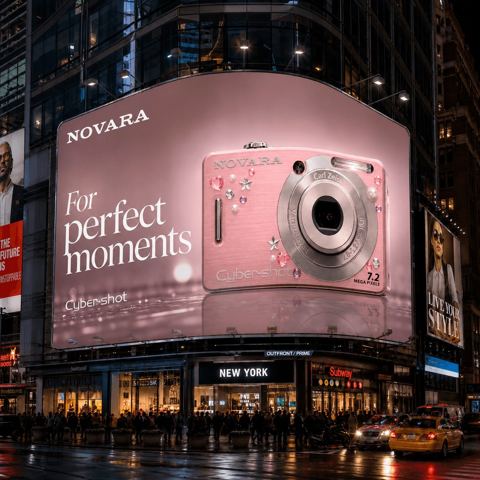
You need copy on the image. Go with Billboard Campaign. Upload the product, type a headline, then pick a location (Times Square, Piccadilly, Shanghai, Tokyo, Dubai or Berlin) and a style: Premium, Minimalist, Neon night city, Retro or Futuristic. You get a cinematic night shot with your product on a glowing billboard. It's the only tool here that renders text into the picture.
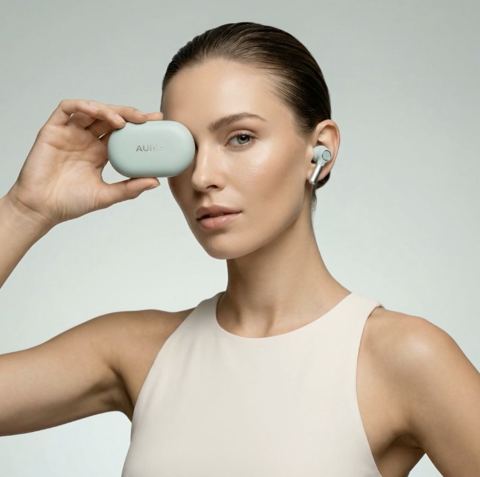
You know exactly where the product should live. Use Visual Campaign Creator. Its single text field takes your own scene description, whether that's a marble bathroom, a sunlit café counter or a mossy forest floor, and the model adds premium lighting, reflections and shadows.
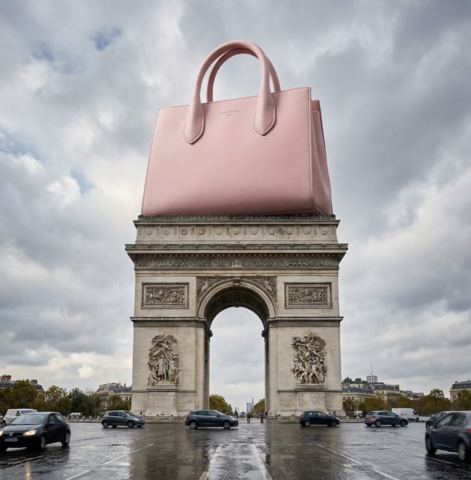
You want scroll-stopping scale. Pick Giant Product Ad. Choose Luxury, Tech/Futuristic, Eco or Sport and your bottle, sneaker or gadget becomes a monumental object towering over the scene. You trade scene control for impact.
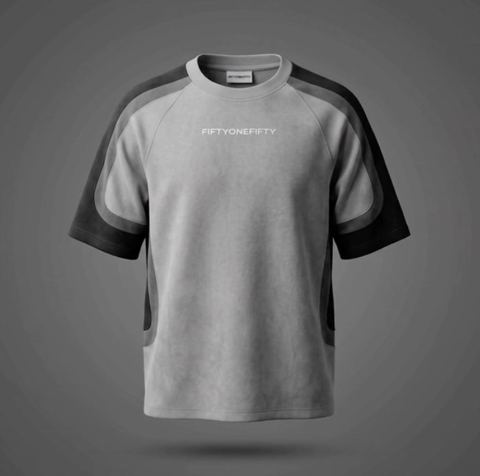
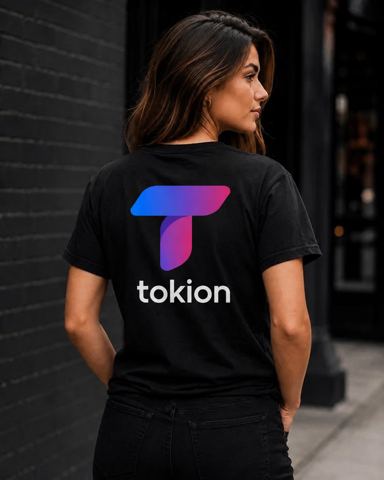
You sell prints or merch. T-Shirt Mockup takes your design file and puts it on a garment. Set the fabric color, print placement (center chest, back center, upper back, left sleeve or all-over), who wears it (woman, man, child or a flat lay with no model) and the framing: studio, street, close-up or full body.
You have the garment and need a clean catalog shot. Ghost Mannequin turns a photo taken on a model or laid flat into a 3D invisible-mannequin image on the background color you name, in plain words or a hex code.
Building a full set of AI product ads from one photo
Think in layers. Your Amazon or Shopify main image stays clean: ghost mannequin for apparel, a mockup for print-on-demand. Secondary listing images and Pinterest pins work well as Visual Campaign scenes. Launch posts on Instagram and TikTok, email headers and pitch decks are where Giant Product Ad and Billboard Campaign earn their keep.
Need a straight studio packshot, a multi-item composition or just a realistic drop shadow? Those live in the neighboring Products category. This one is about advertising.
Getting results you can actually run
Treat outputs as ad creative, not product documentation. The model is good at logos and overall packaging, but fine print, ingredient lists and barcodes can drift, so zoom in before you publish. If something is off, run another variation; each generation comes out different.
Keep billboard headlines short. Three to six words read better at street scale and give the model fewer letters to get wrong. For marketplaces, check the main-image rules for your category: Amazon, for example, expects a plain background on the hero shot, so scenes belong in the gallery.
Who it's for
Amazon, Etsy and eBay sellers
Your listing needs a compliant main image plus lifestyle shots that sell. Use Ghost Mannequin or T-Shirt Mockup for the hero and Visual Campaign scenes for the rest of the gallery.
DTC and Shopify brands
Launches need a homepage banner, an email header and a stack of social posts in one look. Run one product through Visual Campaign and Giant Product Ad to get several on-brand directions fast.
Print-on-demand and merch creators
Show a new design on a tee before you print a single unit. Try it on different models, colors and placements, then use the best mockups for pre-orders or your storefront.
Agencies and freelance designers
Sell the idea before the media buy. A Billboard Campaign concept with the client's headline in Tokyo or Dubai makes a pitch deck land faster than a written treatment.
Pro tips
- Shoot the product in soft, even light against a simple background. The cleaner the source, the more faithfully labels and colors carry over.
- Upload artwork for T-Shirt Mockup at high resolution, ideally on a transparent or solid background with nothing around the design.
- For Ghost Mannequin, make sure the whole garment is in frame; the model will invent any sleeve or hem that's cropped out.
- Write Visual Campaign scenes like a set brief: surface, props, time of day, mood. "Travertine ledge, morning sun, dried eucalyptus" beats "nice background."
- Reuse the same background color across a Ghost Mannequin collection so the storefront looks consistent.
- Test one product in two or three styles and let your ad metrics pick the winner.
Good to know
- Small text on packaging, ingredient lists and barcodes may come out distorted; always proofread before publishing.
- Billboard locations and styles come from a fixed list, and Giant Product Ad offers four environments. Only Visual Campaign accepts a free-form scene.
- Only Billboard Campaign adds text to the image; the other tools don't render copy.
- These are advertising visuals, not documentary photos. Shoppers still need real images for exact size, texture and fit.
Questions
Which tool should I start with if I sell clothing?
If the garment exists, start with Ghost Mannequin for a clean main image. If you only have the artwork so far, use T-Shirt Mockup, then add campaign scenes later.
What's the difference between Visual Campaign and Giant Product Ad?
Visual Campaign places your product at normal size in a scene you describe in your own words. Giant Product Ad uses a preset environment and blows the product up to monumental scale for drama.
Can I add my own headline to the image?
Yes, in Billboard Campaign, where the headline appears on the billboard. The other tools don't render text, so add overlays in your usual design app.
Will my logo and label stay accurate?
Keeping the product's shape, label and colors is built into every prompt. Large logos usually hold up well; check fine print and run another variation if needed.
Can I use these images in paid ads?
Yes, as long as you own the product and brand or have permission to promote them. Review each ad platform's policies for your product category.
Can I make ads for another company's product?
Only with the rights holder's permission, for example as an authorized reseller or an agency hired by the brand.
Where do the tools run?
In your browser and in the Telegram bot. The same balance covers image tools, chat with dozens of models and the API.
Is there a subscription?
No. You pay per generation, the current price is shown on this page, and new accounts get a starter balance.