AI Portrait Generator from Photo — Pick the Right Tool
Five focused tools for faces and looks: a professional headshot, a virtual try-on, subtle skin retouching, an expression fix and a playful family cartoon. Here is how to choose between them.
Tools in this category

What an AI portrait generator from photo can do
Every tool in this category starts from a real photo of a real person and keeps that person recognizable. The difference is how much each one changes. Some rebuild the frame around you; others touch a single detail and leave everything else exactly as it was.
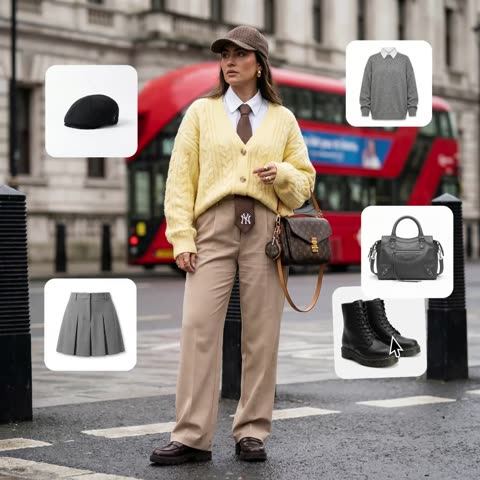
Think of the category as two groups. The transformers are LinkedIn Headshot Package, which moves you onto a clean studio backdrop; Outfit Try-On, which dresses you in clothes from other photos; and Family Portrait Styles, which redraws a group shot as a 3D animated-movie scene. The fine-tuners are Expression Fixer, which changes only the facial expression, and Skin Retoucher, which works only on skin.
Knowing which group you need saves time and credits. If the photo is already right and just needs polish, a fine-tuner is enough. If the background, outfit or style is the problem, reach for a transformer.
Headshots for LinkedIn and your personal brand
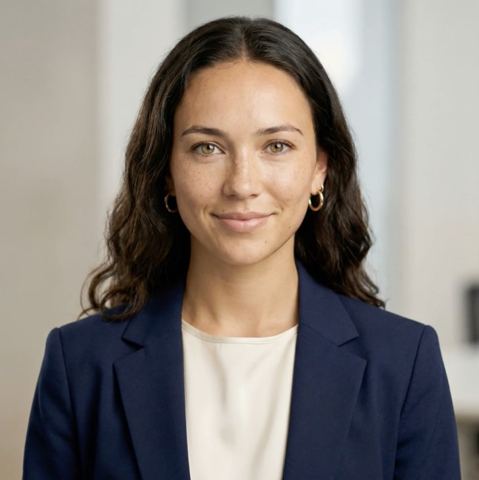
Need a profile photo for LinkedIn, a company about page, a speaker bio or a podcast cover? Start with LinkedIn Headshot Package. Upload one photo and it returns a polished business portrait: neutral studio background, soft even lighting, sharp focus, a well-groomed look and professional attire when the original outfit is too casual. Your facial features stay yours.
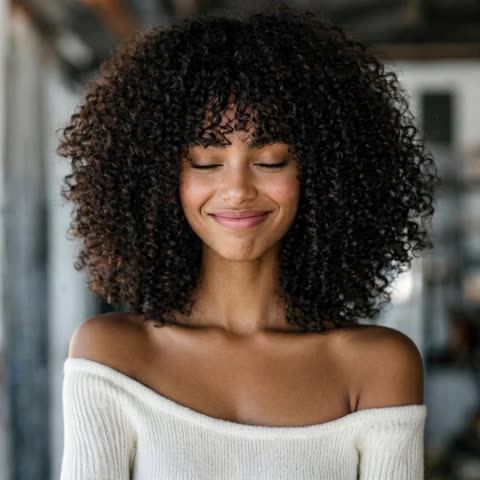
Then refine. If your smile looks forced, run the result through Expression Fixer and type something like "relaxed, confident smile" in the Expression field. Pose, framing, background and lighting stay put. For a final pass, Skin Retoucher evens out redness and blemishes while keeping pores and natural texture, so the headshot never gets that plastic look.
Try on clothes or retouch skin: which one you need
If the question is "what am I wearing," use Outfit Try-On. Upload the person first, then up to three clothing references: a top, pants, a jacket, shoes, a hat or a bag. The tool combines them into one coherent look with realistic folds and shadows, while the face, hair, body proportions, pose, background and lighting remain unchanged. Shoppers test combinations before ordering; Etsy, Shopify and eBay sellers show garments on a person without booking a model.
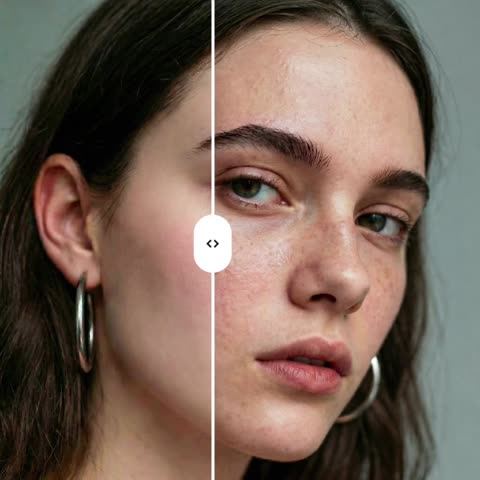
If the question is "how does my skin look," use Skin Retoucher instead. It reduces blemishes, redness and uneven tone and leaves everything else alone, including your expression. Creators on Instagram and TikTok use it to tidy up close-ups; small studios use it to speed through a batch of client portraits.
And if the face is fine but the mood is wrong, a blink-adjacent squint or a serious stare, Expression Fixer is the one to open.
Family cartoons and full photoshoots
Family Portrait Styles is the fun one. Upload a family photo, name a background color, and everyone becomes a character in a 3D animated film, recognizable by face, hair, age and pose, with the relationships in the frame preserved. It makes a great holiday card, a group-chat avatar or a framed gift for grandparents.
Want a whole series of realistic shots in one style rather than a single edited frame? Check the AI Photoshoot section on Tokion. The tools here shine when you have one specific photo to improve.
Everything runs in your browser and in the Telegram bot. It is pay as you go with no subscription, and one balance covers image tools, chat with dozens of models and the API.
Who it's for
Job seekers and professionals
Turn a phone selfie into a clean headshot for LinkedIn, a résumé or a conference badge. Fix a stiff expression without a reshoot.
Online sellers and small fashion brands
Show products on a person for Etsy, Shopify, Amazon or eBay listings. Outfit Try-On combines up to three items into one look while the model's pose stays the same.
Creators and social media managers
Quick, natural skin retouching and expression tweaks for Instagram, TikTok and Pinterest content, with no heavy editing software involved.
Families and gift givers
A cartoon portrait of the whole family from one group photo, ready for holiday cards, prints or a shared chat avatar.
Pro tips
- Start with a sharp, well-lit photo where the face is fully visible, with no sunglasses, hands or hair covering it.
- For headshots, pick a shoulders-up or waist-up shot where you look into the camera.
- In Expression Fixer, describe one emotion clearly, like "soft closed-mouth smile," rather than a long list.
- For Outfit Try-On, use one garment per reference image on a plain background or as a flat lay, and a full-body photo if you are trying shoes or pants.
- When chaining tools, run Skin Retoucher last so it cleans up the final version.
- Not happy with a result? Run it again: each attempt gives a slightly different take.
Good to know
- These are portraits for profiles and content, not passport or visa photos with strict official requirements.
- Family Portrait Styles always produces a cartoon, so it cannot replace a realistic family photo.
- In group shots, expression edits are less predictable; crop to one person for best control.
- Tiny logos, fine prints and text on clothing may not transfer exactly during try-on.
Questions
Which tool should I use for a LinkedIn profile picture?
LinkedIn Headshot Package. It turns one photo into a business portrait with a neutral studio background, even lighting and professional attire if needed, while preserving your features.
What is the difference between Skin Retoucher and the headshot tool?
Skin Retoucher changes only the skin and keeps background, clothes, expression and lighting as they were. The headshot tool changes more: background, lighting and sometimes the outfit. If your photo is already good, retouching is the lighter option.
Will my face still look like me?
Every tool in this category is instructed to keep identity and facial features intact. Expression Fixer changes only the expression, and Outfit Try-On changes only the clothes. If something looks off, simply run the tool again.
How many clothing items can I try on at once?
Up to three reference images alongside the person photo. The AI combines them into one outfit. For more combinations, run additional try-ons.
Can I use the output of one tool in another?
Yes. Download the result and upload it to the next tool. A common chain is headshot, then expression fix, then skin retouching.
Can I upload photos of other people?
Only your own photos, or photos of people who agreed to the edit. For children, get a parent's consent first.
Where do the tools work?
In any modern browser and in the Tokion Telegram bot, from anywhere in the world.
Do I need a subscription?
No. You pay per generation from one balance shared with chat and the API, and new accounts get a starter balance to test the tools on their own photos.