AI Photo Stylizer Tools
Five focused tools, each changing one thing about an image: the art medium, the character, the material, or the whole visual language. Here is how to pick the right one.
Tools in this category
What an AI photo stylizer can do for you
"Stylize this photo" can mean a dozen different things. A creator wants a comic-book avatar. A furniture brand wants the same armchair in velvet and in leather. A marketing team wants every campaign asset to feel like the approved mood board. One generic filter can't handle all of that, so the Styling category splits the job into five tools with their own upload slots and inputs.
Every tool runs on a prepared prompt. You supply the images and one choice or short description; you don't write prompts or tune settings. It works in the browser and in the Telegram bot, billing is pay as you go with no subscription, and the same balance covers image tools, chat with dozens of models and the API.
Pick the right tool in ten seconds
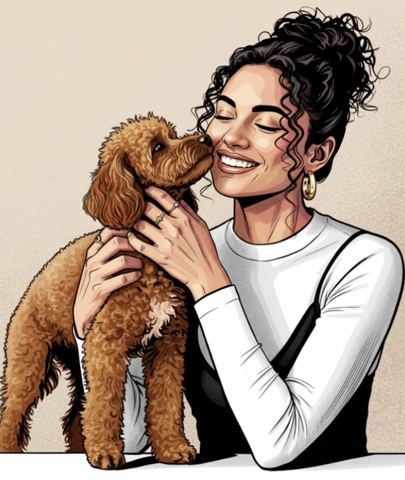
Want the photo to become a drawing while people and composition stay recognizable? Use Illustration Studio. One photo in, then choose caricature, comic, watercolor, digital painting, sketch or flat vector.
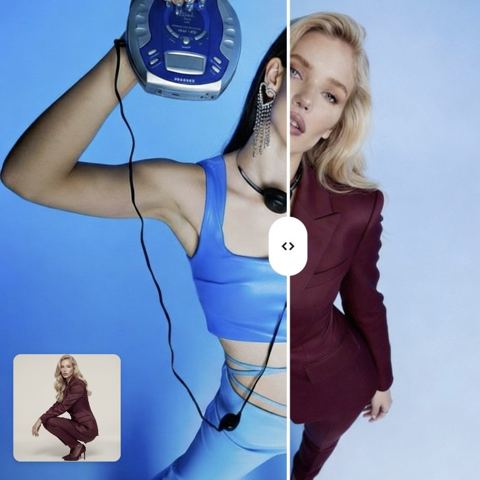
Want the scene to stay exactly as it is, with someone else in it? Use Character Swap. Upload the scene and the new character; pose, camera angle, lighting, shadows and background come from the scene, the face and identity from the second image.
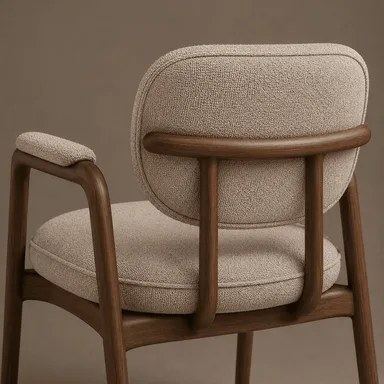
Want an object rendered in a different finish? Use Material Transfer. Upload a material swatch (marble, oak, denim, rattan), then the target photo, and type the object to change: "sofa", "jacket", "kitchen wall".
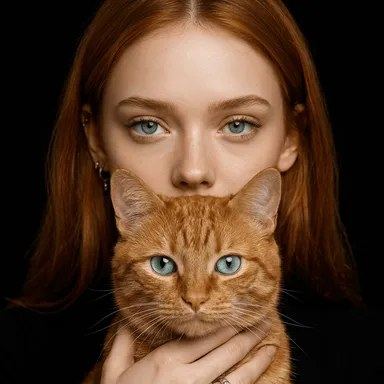
Want a playful half-human, half-animal portrait? Use Spirit Animal. One clear photo, pick from fourteen animals, from cat and fox to dragon and panda.
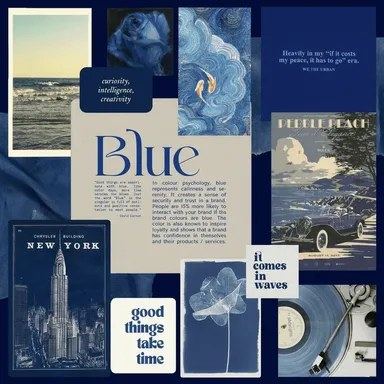
Want brand-new artwork in the look of your board? Use Moodboard Match. Upload the mood board, describe what to create, and get an image in the same palette and mood.
Restyle images for commerce and content
For Etsy, Shopify and Amazon sellers, Material Transfer is the workhorse. Shoot a product once and show it in several fabrics, woods or leathers, with shape, geometry and perspective untouched, so the variants line up cleanly in a listing gallery or a Pinterest pin.
For social teams and small brands, Moodboard Match keeps a feed consistent. Once the client signs off on a board, every launch graphic, Instagram post and TikTok cover can follow its palette, textures and typography. Agencies use Character Swap to show a client how a finished key visual reads with different talent before booking a reshoot.
Illustration Studio fits editorial and personal work: flat vector portraits for a team page, watercolor art for a wedding thank-you card, a comic-style profile picture. Spirit Animal is pure fun: avatars, gifts and shareable posts.
How the tools differ under the hood
Image count is the quickest filter. Illustration Studio, Spirit Animal and Moodboard Match take one image. Character Swap and Material Transfer take two, and order matters: first the source you borrow from (the scene or the swatch), then the image you're changing.
Inputs differ too. Material Transfer asks you to name the object; Moodboard Match asks you to describe the new image. Illustration Studio and Spirit Animal use a drop-down, and Character Swap needs no text at all.
Most important is what survives from your picture. Illustration and Spirit Animal keep the person and the composition. Character Swap and Material Transfer keep the whole scene and change one element. Moodboard Match doesn't use your photo at all: it borrows only the style and generates a new scene from your description.
Who it's for
Online sellers
Show one product in multiple finishes without reshooting, and build banners that feel like your storefront. Material Transfer handles variants; Moodboard Match handles on-brand promo art.
Creators and social teams
Illustrated avatars, a feed with a single look, and share-worthy animal alter egos. Illustration Studio and Spirit Animal work from one selfie; a mood board sets the tone for a series of posts.
Designers and agencies
Fast client previews: a new wall finish in a room shot, different talent in a finished scene, a concept that follows the approved board. Validate direction before investing hours in manual work.
Interior and furniture brands
Upholstery, countertop and flooring options on the real room or product photo, with perspective and lighting preserved, so customers compare finishes side by side.
Pro tips
- For Illustration Studio and Spirit Animal, use a sharp, evenly lit photo with the face large in frame; fine details are the first thing lost when the medium changes.
- Shoot material swatches flat and close so the texture fills the frame; glare or props in the swatch can carry over to the result.
- Name a single object in Material Transfer: "left armchair" works better than "furniture".
- For Character Swap, match the new character's angle to the scene: front-facing to front-facing, full body to full body.
- Write the Moodboard Match description like a brief: format plus purpose, e.g. "square Instagram post announcing a summer sale".
- Change one thing per run (style, animal or description) so you can see what actually moved the result.
Good to know
- Moodboard Match does not apply a style to your photo and won't reproduce a specific product or person; it generates a new scene from text.
- Illustration Studio offers six fixed styles; you can't name a specific artist or type a custom style.
- Text, logos and small lettering inside a stylized image can come out wrong; add them afterward in a design app.
- Only swap in people who have agreed to it, and don't use celebrities or other people's copyrighted characters in commercial work.
Questions
What's the difference between Illustration Studio and Moodboard Match?
Illustration Studio redraws your own photo in a chosen medium, keeping the subject and composition. Moodboard Match ignores your photo: it takes the palette and mood from a board and creates a new image from your description.
Which styles does Illustration Studio offer?
Caricature, comic, watercolor, digital painting, sketch and flat vector. The last four are grouped as editorial styles and suit articles, decks and team pages.
Will my face stay recognizable?
Both portrait tools instruct the model to keep your features recognizable. Likeness is usually closest in sketch and watercolor; caricature exaggerates features on purpose, and Spirit Animal blends in animal ears, fur and eyes.
Can Character Swap use a drawn character?
Yes. The second image can be a photo or an illustrated character. The model preserves the scene's style, so a cartoon hero dropped into a photo will be rendered to fit a realistic look.
Does Material Transfer work on clothing?
Yes. Type "jacket", "dress" or "sneakers" in the object field. The tool changes the fabric or leather while keeping cut, folds and lighting, and scales the pattern to the item.
Do I need a subscription?
No. You pay per generation from one balance that also covers chat with dozens of models and the API. New accounts get a starter balance to try the tools.
Where can I use these tools?
In any browser at tokion.io and in the Telegram bot. Your balance and results are shared, so you can start on your phone and finish on a laptop.